Admin Login Log
" Thank you for purchasing our plugin. please feel free to email via our user page contact form here. Thanks so much! "
Admin login log extension prevents your website from intensity attacks, the main purpose of hackers is to access your store backend and steal important information. This extension adds security feature by which admin can block IP addresses trying to hack backend office or downloader folder. If the several logins attempt failed by any Ip address, it provides instant critical security notification to admin.
Hackers are attacking downloader folder to install the vulnerable extension which can run malicious code on your store. The recent magento security patch restricts downloader folder access directly by URL. Which opens up a way for hackers to access magento connect. Only logged in admin can open magento connect.
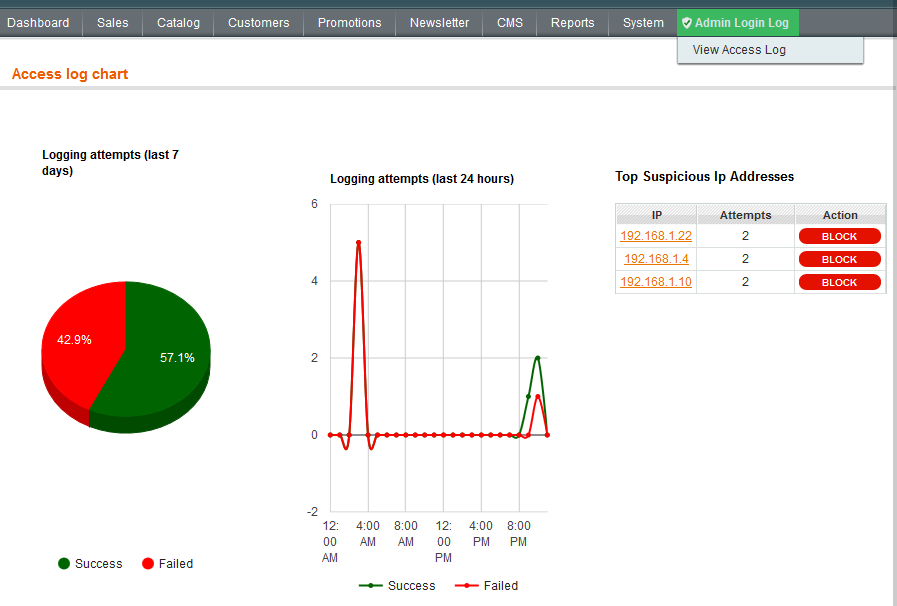
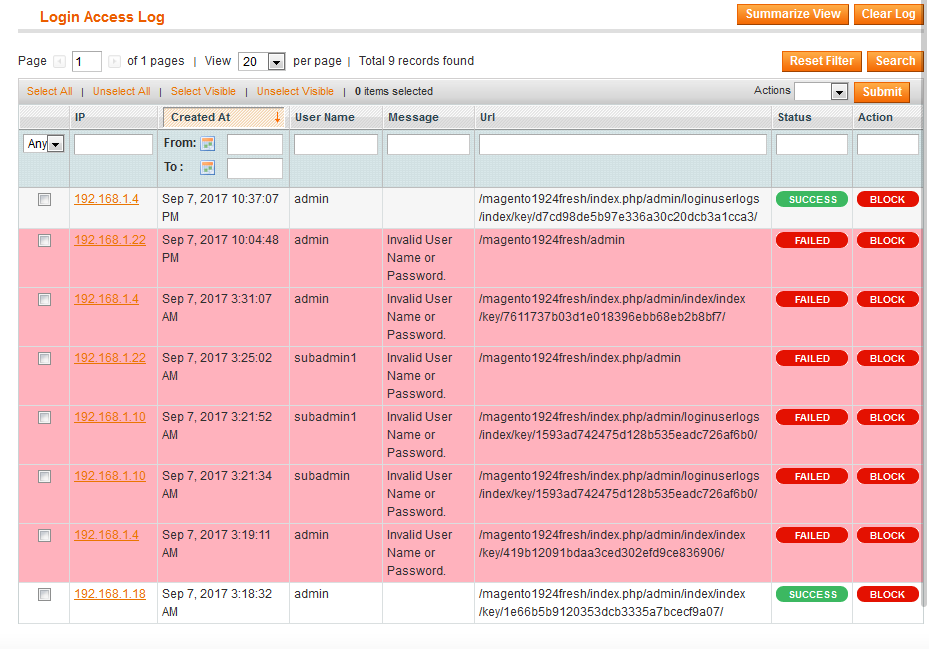
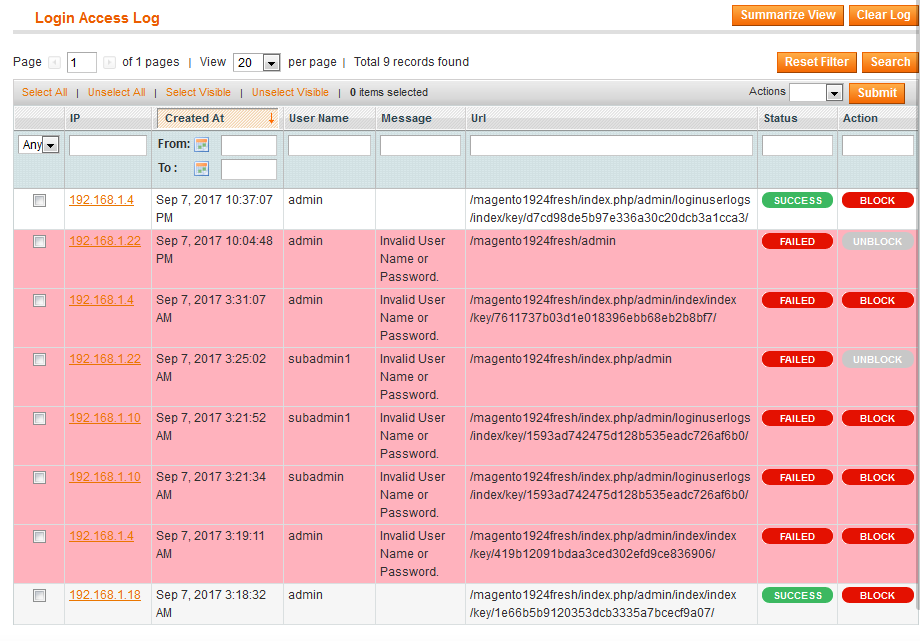
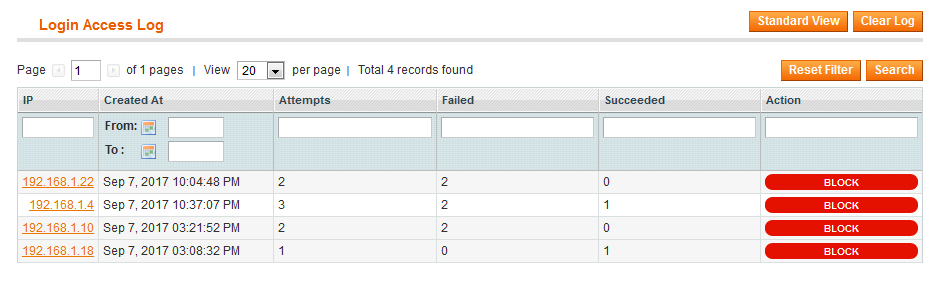
If any suspicious IP address tries to login into your store admin panel, this extension adds a table view of the top suspicious IP address in a backend. The Login access log grid display information like IP address, attempts count, status, IP address status (block or unblocked) and URL. The failed request log gets a highlight with different red warning background colour.
This extension provides you with a total login attempts framework in two statistical graphs. The first graph allows you to get information about last 7 days login attempts and second graph for last 24 hours login attempts. If you ban the specific IP address forever they can't get access to the site only after you manually unblock the IP.
This is the best helpful extension for IP restriction and keeps watch on admin login access log.
Here is few highlighted features:
- Track every login attempt of a store back-office
- Detailed & summarized view of all login request data
- Admin can receive back-office access log via email notification
- Identify suspicious admin user or block suspicious Ip address
- Allow admin to track Ip address from access log grid
- Login access log grid display information like IP address, attempts count, status, IP address status (block or unblocked) and URL
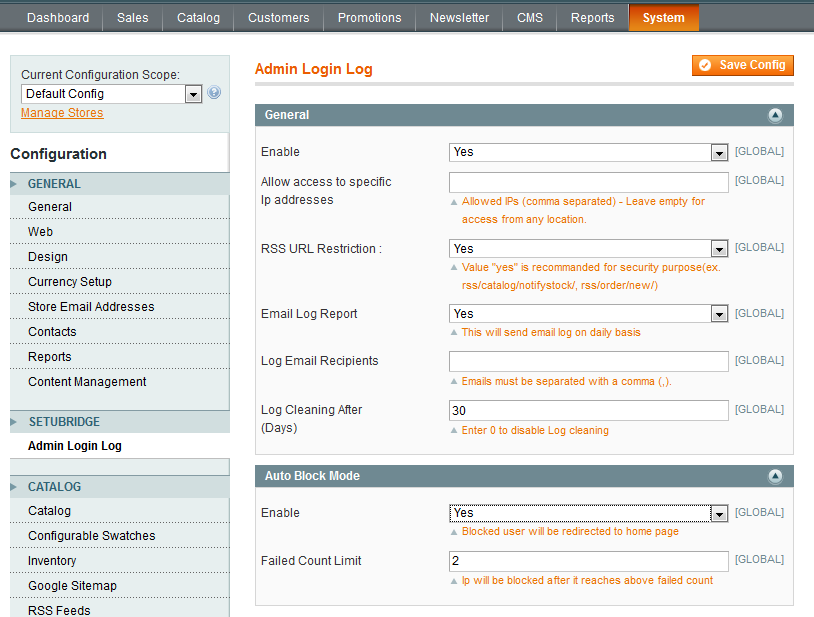
- Admin can restrict back-office access to several specific IP addresses
- Prevent downloader & magento connect access directly with URL
- Auto & manual Ip address block from store admin panel
- Table view of the top suspicious IP address in a backend
- Failed request log gets highlight with different red warning background colour
- Statistical graphs for access log representation weekly & last 24 hrs
- Set auto IP block limit from back-office
- RSS feed URL restriction
Note : Disable/Refresh cache management after installation of the extension.
Here you can find answers to frequently asked questions. Feel free to contact if you can't find answer to your question.
1. Can admin auto block IP after x failed attempts?
Yes, admin can block IP after x failed login attempts.
2. Can admin get notify when X failed login attempts ?
Yes, admin get notification via email
"If you have any other questions or problems regarding this plugin, you can always contact me using the contact form on my profile page and I'd be happy to help. No guarantees, but I'll do my best to assist."
Our support operators are always glad to help you here [email protected]
Note: We are happy to help with setup and any bugs you may stumble upon.