Advance Quick Order
" Thank you for purchasing our plugin. please feel free to email via our user page contact form here. Thanks so much! "
If a customer is buying products in bulk, they don't want to browse through a hierarchy of categories. Most of the eCommerce platforms make adding an item to the cart a multi-step process. Normally, with the default of Magento, customers cannot search by SKU or import CSV file.
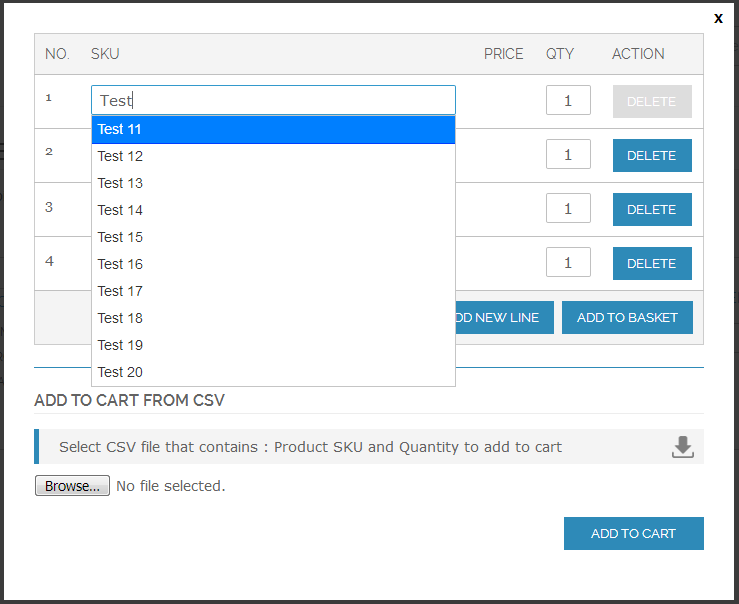
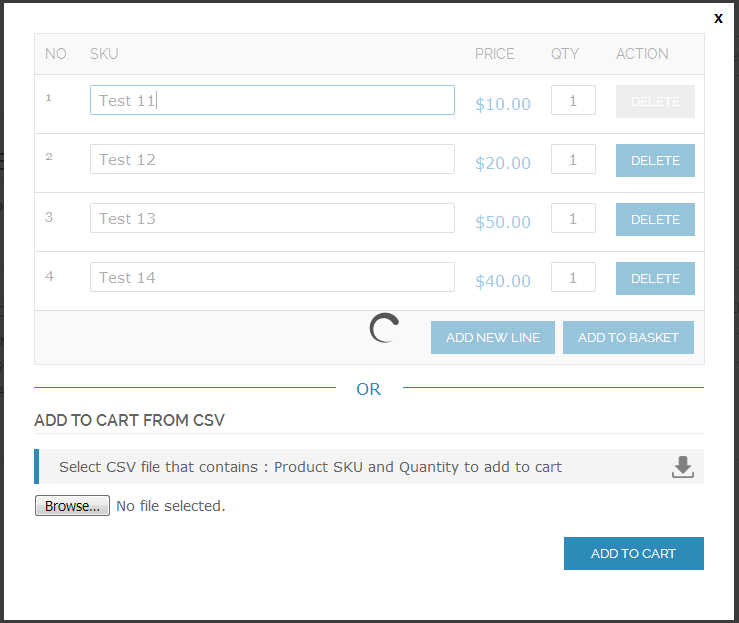
Our Advance Quick Order extension is specially designed to reduce number of steps it takes to place an order and allowi wholesale customers to add products quickly. It provides the most convenient steps for a wholesaler to place orders with an auto complete search box, it displays the auto suggestions. When customers enter the product's SKU into the field which helps to pick-up items instantly.
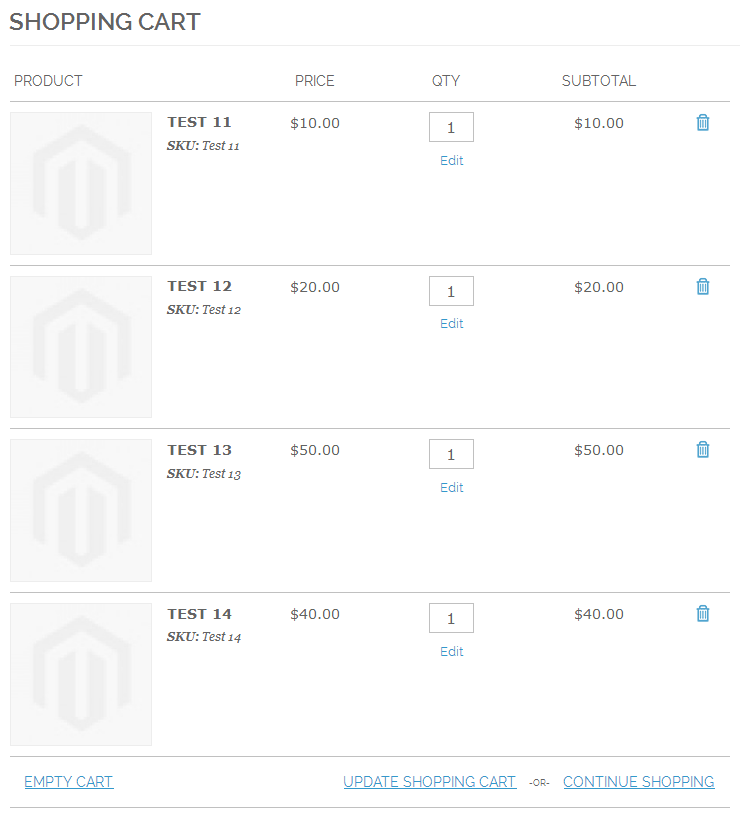
Additionally, this allows wholesale customers to import CSV file to add to cart bunch of SKUs. Also, the store owner can display various data about their products including a name, SKU, price, quantity and subtotal.
Advance Quick Order extension will also enhance the overall shopping experience for your customer by adding a simple, intuitive way to purchase any of your products.
Here is few highlighted features:
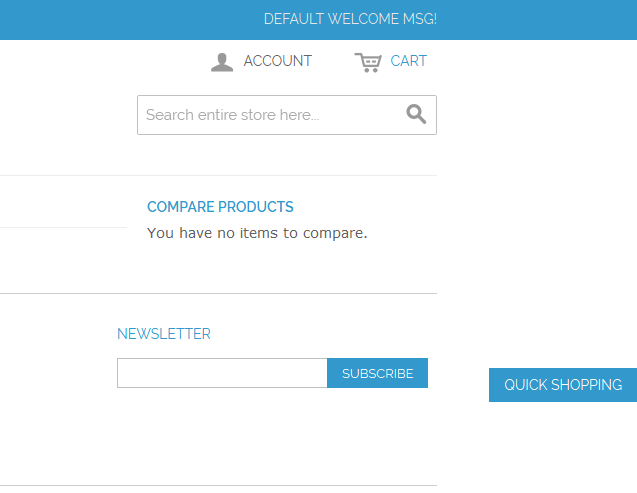
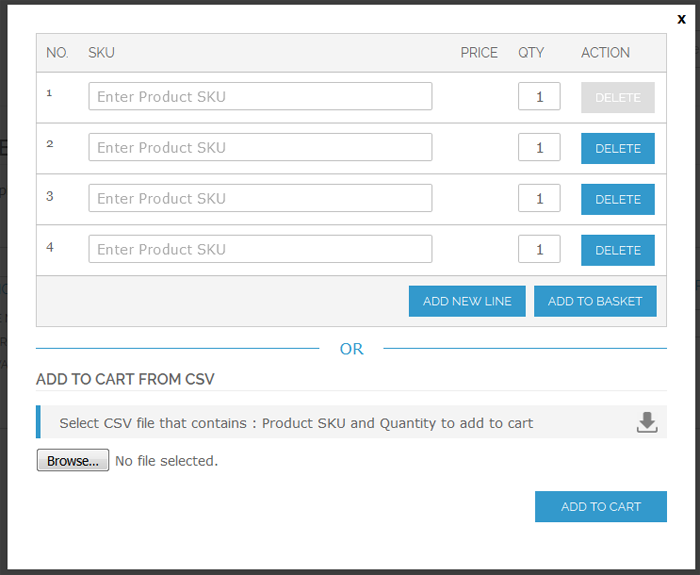
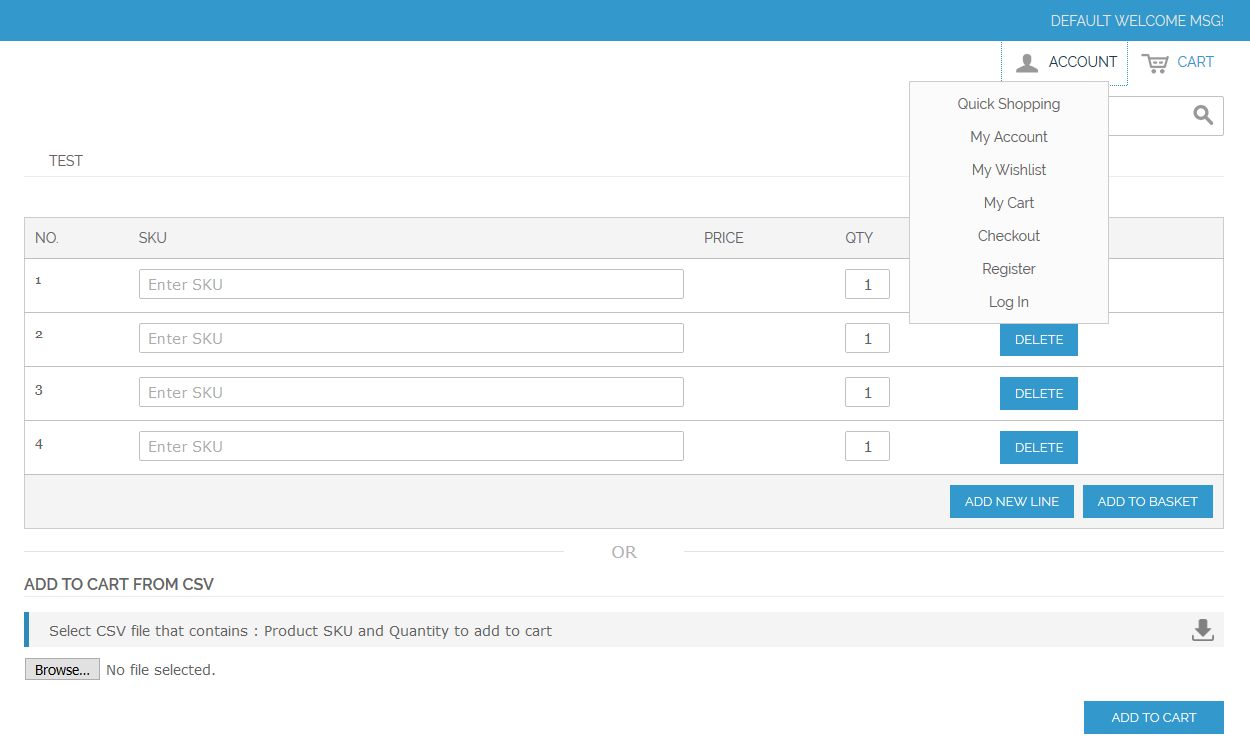
- Popup to show quick order form on all the pages
- Automatically suggest items by typing a few SKU
- One click action to add simple multiple products in shopping cart
- Add new line button so the customer can insert additional fields as needed
- Limit the number of results shown in a list from admin-panel
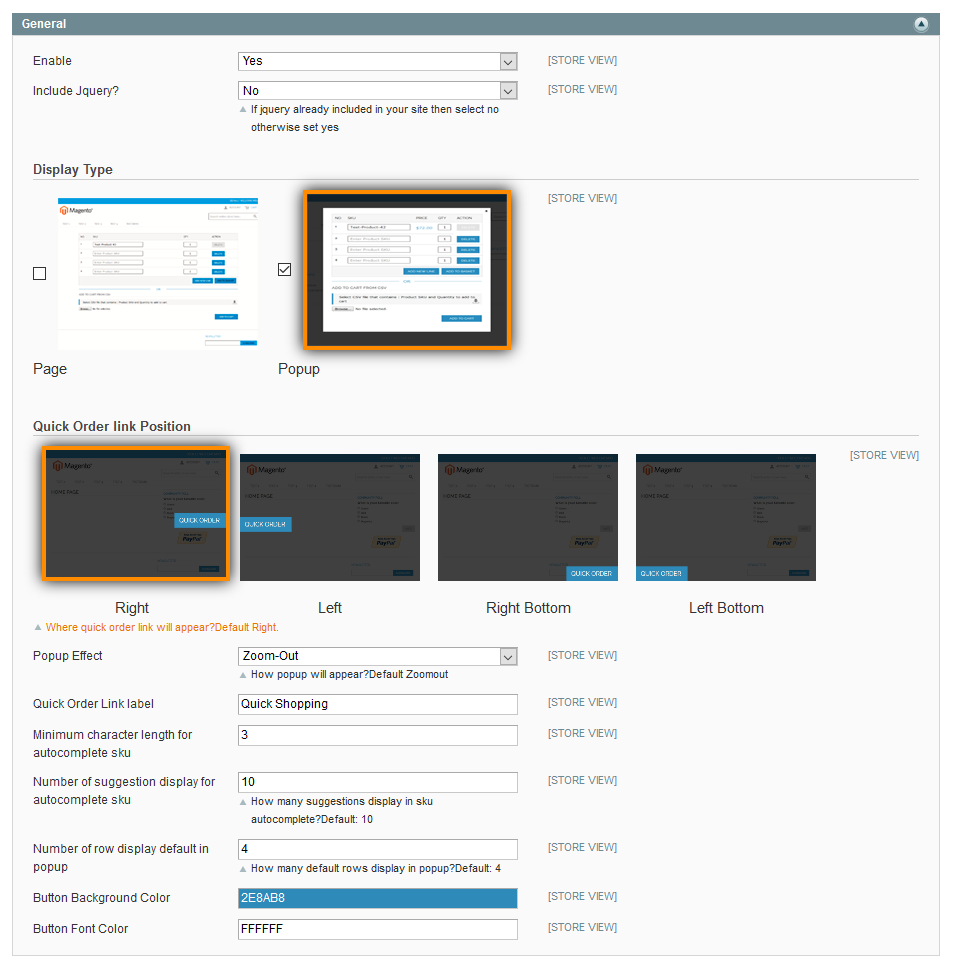
- Auto search character limit, result in item count, default visible text-boxes in quick form, etc. all can be configured from admin panel
- CSV import feature to add to cart bunch of SKUs
- Quick Order form position, animation & link-button label, all can be customizable from admin panel
- No coding skills needed making it live
Note : Currently, we support only simple products without custom options.
Here you can find answers to frequently asked questions. Feel free to contact if you can't find answer to your question.
1. Can we search a product with Product Name or custom attribute?
No. Currently we support search by SKU.
2. Is this module allow to create a CMS page which contains Quick Order functionality?
Currently extension working on popup to show quick order link on all the pages
"If you have any other questions or problems regarding this plugin, you can always contact me using the contact form on my profile page and I'd be happy to help. No guarantees, but I'll do my best to assist."
Our support operators are always glad to help you here [email protected]
Note: We are happy to help with setup and any bugs you may stumble upon.