Facebook Shop Integration
" Thank you for purchasing our plugin. please feel free to email via our user page contact form here. Thanks so much! "
The extension uploads Magento 2 store’s data source to the Facebook catalog manager.
Facebook shop Integration
The extension sends Magento 2 store's products to Facebook and Instagram shops through a data feed. Besides, it works evenly without disturbing the store's or Facebook's performance. Automatic updating changes done on the store to the Facebook shop makes the plugin hassle-free.
Cron Jobs: Enabling cron jobs to the schedule set up for periodic automatic Facebook feed generation with a set time.
Smart Filters: Select Yes/No option to exclude disabled products, out of stock products & not visible products while generating CSV on the Facebook shop.
Attribute Mapping: The extension offers default required mappings between the product attributes and the shop fields. Admin can add and create new attribute mapping for further required fields. Along with this, the extension offers smart & advanced features like:
- Shows store products under the "Shop" tab on the Facebook page.
- Displaying product details in the pop-up and enable checking out on the online store.
- Supports Magento multi-store functionality. Manually uploading product CSV to the Facebook shop.
- Automatic feed generation at a scheduled time.
- Option to exclude disabled products, out of stock products & not visible products while product CSV generation.
- Allows adding new attribute mapping requirements of the store.
- The plugin encourages Instagram product tags to use the Instagram shopping feature.
Upload Data Feed In Facebook
The admin can upload data feed on Facebook by following steps:
- Go to the Business Manager.
- Go to Catalog Manager and select/create the catalogue you want to update
- Go to Data Sources.
- Then select the bulk upload option
- Set schedule feed
- Enter the URL of the product CSV
- Upload
Enable Instagram Shop
The admin can enable Instagram shop by following steps:
- Open your profile settings.
- Click on Business.
- Tap Shopping.
- Select a product catalogue from a connected Facebook Business Page.
- Tap Done.
Note: The option to tap shopping is only available to accounts that have been approved for Instagram shopping. For direct Instagram checkout, your business location needs to fulfil Instagram requirements.
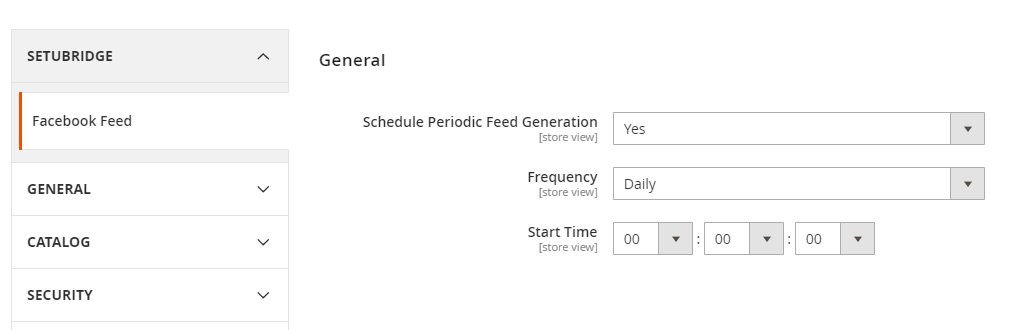
To use this Facebook Shop Integration you have to Go to STORES > Configuration > SETUBRIDGE > Facebook feed Tab:
- General configuration:
Admin can configure facebook shop integrator extension effortlessly from backend. They can also enable or disable cron jobs to set periodic CSV generation of products without any constant actions. Set frequency and start time for periodic CSV generation to the facebook shop.
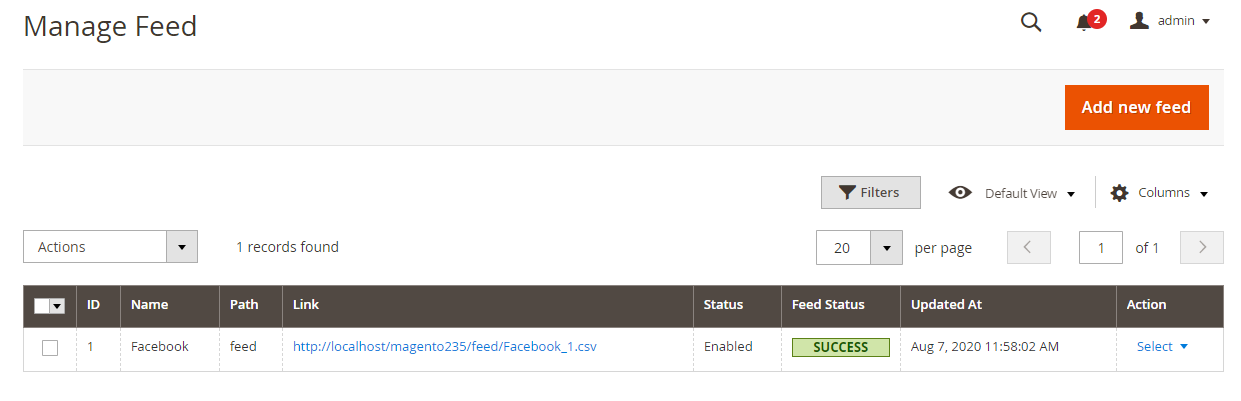
- Manage Feed:
Admin can easily manage all the product feed CSV files from the backend and can add or update feeds as per required.
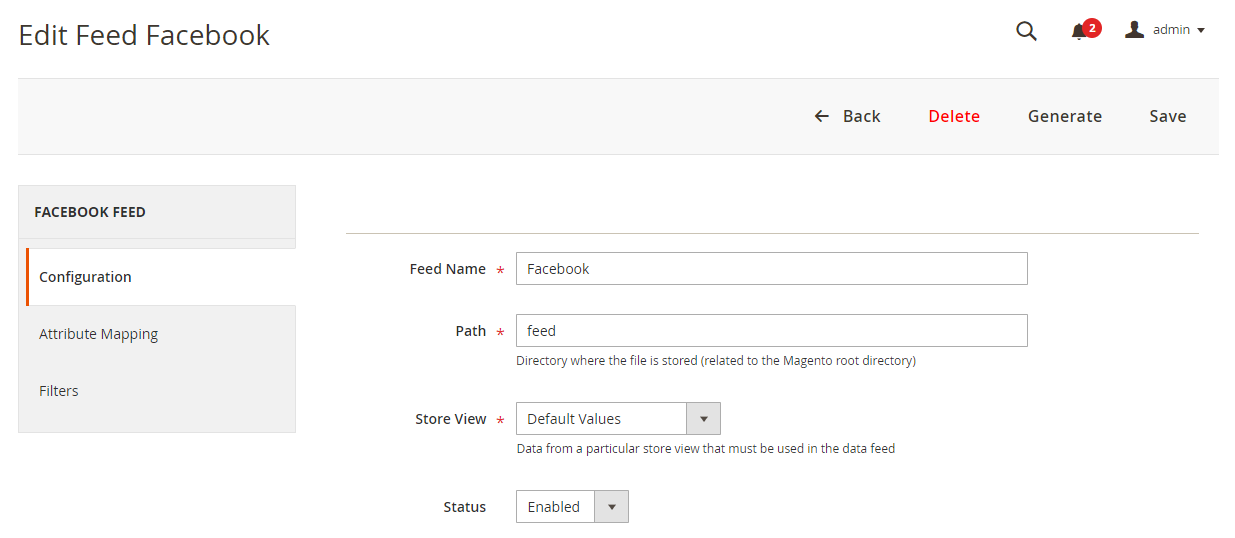
- Create New Feed:
For new feed generation, add a path to store generated CSV. Select store view to update new feed to specific store or all stores. Enable/disable to show feed on the facebook shop.
- Attribute Mapping: The extension offers 8 predefined and default field mapping which are necessary for facebook shop. Admin can also add new custom fields mapping as required (e.g. Custom label 0, Custom label 1…)
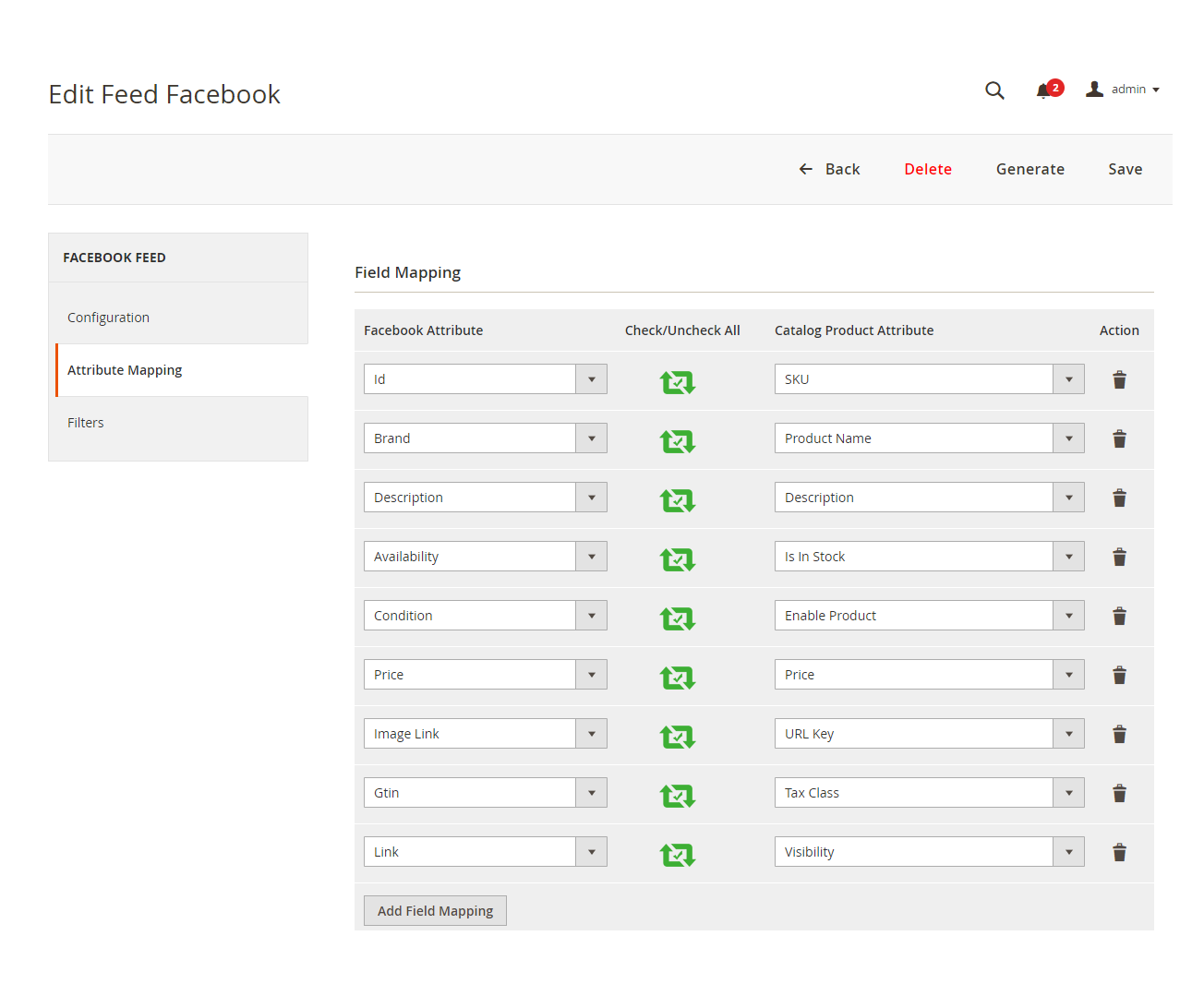
-
Under category filters, admin can filter the products to be shown on facebook shop.
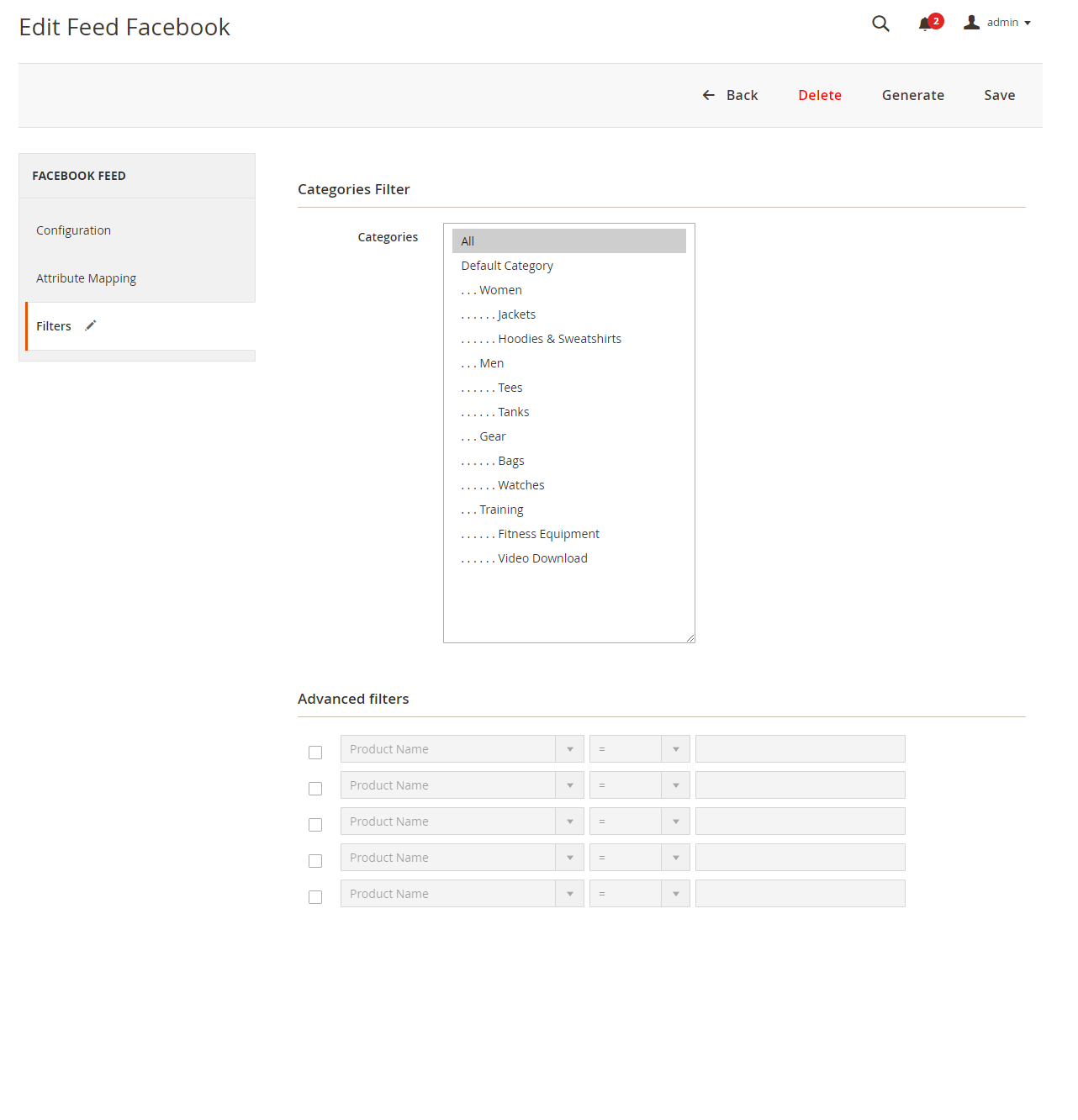
-
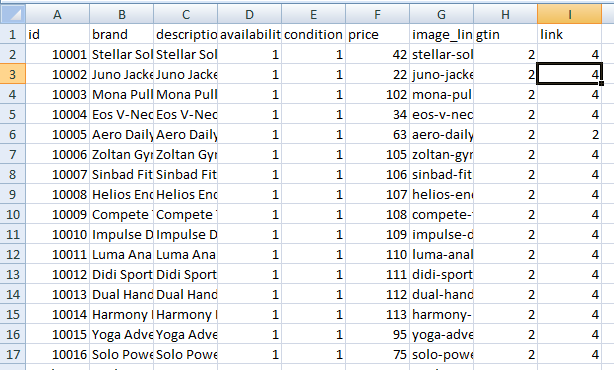
Admin can upload feeds manually or directly upload CSV through data feed
Generated CSV display output as shown in screenshot. This CSV file can be uploaded directly to facebook shop through data feed.
"If you have any other questions or problems regarding this plugin, you can always contact us using the contact form and we'd be happy to help you. No guarantees, but we'll do our best to assist."
Our support operators are always glad to help you here [email protected]
Note: We are happy to help with setup and any bugs you may stumble upon.