Free Shipping Bar
" Thank you for purchasing our plugin. please feel free to email via our user page contact form here. Thanks so much! "
The free shipping bar for Magento 2 is a smart extension to boost additional purchases by displaying the amount left to get free shipping.
According to recent data, 88% of consumers make their purchases from the website which offers free shipping. Free shipping after a certain amount of total purchase encourages customers to place an order with multiple products. Free shipping is a great way to leverage customers to purchase products in bulk. But this can only be beneficial if free shipping information is known to the customer. Due to the lack of a proper and clear informative way, stores can suffer negative customer satisfaction and loss in sales.
To help eCommerce Magento stores display free shipping information right in front of consumers' eyes, SetuBridge has developed a solution, FREE SHIPPING BAR MAGENTO 2 EXTENSION. The extension helps store admin to display free shipping notification bar with little space on their website. After viewing the bar, consumers can also close the bar if the admin enables the option to provide a close button.
The smart feature which stands out is allowing the admin to set a free shipping goal to offer free delivery when the total order amount satisfies the free shipping threshold value. With every item getting added to the cart, the bar auto-calculates the current cart amount and displays the amounts left to get free shipping. When the required free shipping threshold value is satisfied, the admin can set custom text to display a free delivery message in the notification bar.
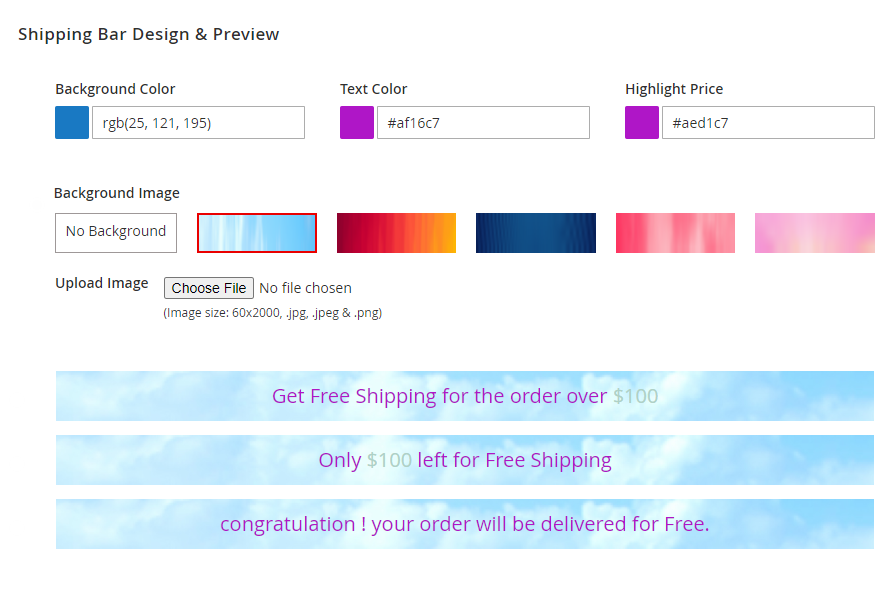
Free shipping remaining cost extension for Magento 2 provides functionality to personalize the bar’s background color, text color, highlight price, and upload background image as well. The primary message, Progress message, and Free shipping achieved messages can also be customized as required. The plugin promises to work smoothly without conflicting the website's theme.
Here is few highlighted features:
- Personalize free shipping bar to display the minimum total amount to get free shipping
- Enable/disable the option to display a close button
- Auto-calculates current cart total and displays notification messages accordingly
- Design bar’s background color, text color, highlight price, and upload background image as well
- Custom primary message, progress message, and free shipping achieved message
- Supports Magento multi-stores
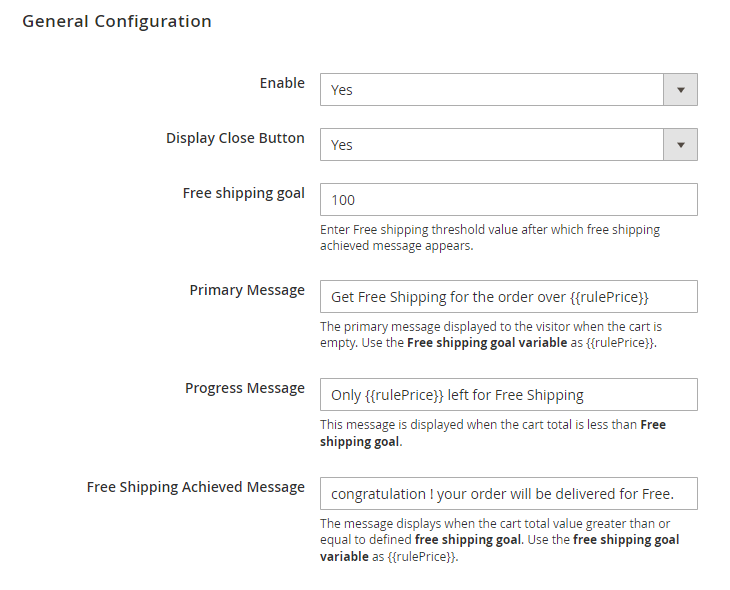
To use this Shipping Bar you have to Go to STORES > Configuration > SETUBRIDGE > Shipping Bar Tab:
- General configuration: The extension activated with a simple enable/disable option. select yes/no to display a close button so that a visitor can close the free shipping notification bar at any moment as desired. Set free shipping goal amount to define fixed minimum order total value required to get free shipping. custom text message for primary, progress, and free shipping goal achieved stages.
- Design the free shipping bar by applying custom background color, text color, and highlight price. The plugin additionally supports to upload background images.
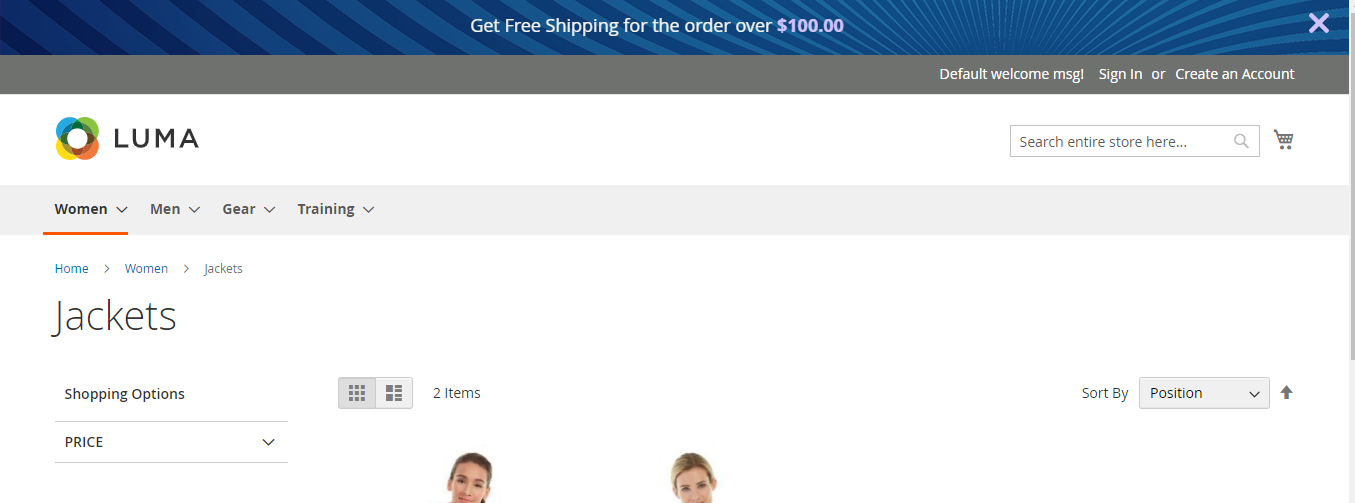
- Primary message displays as the visitor first enter your website.
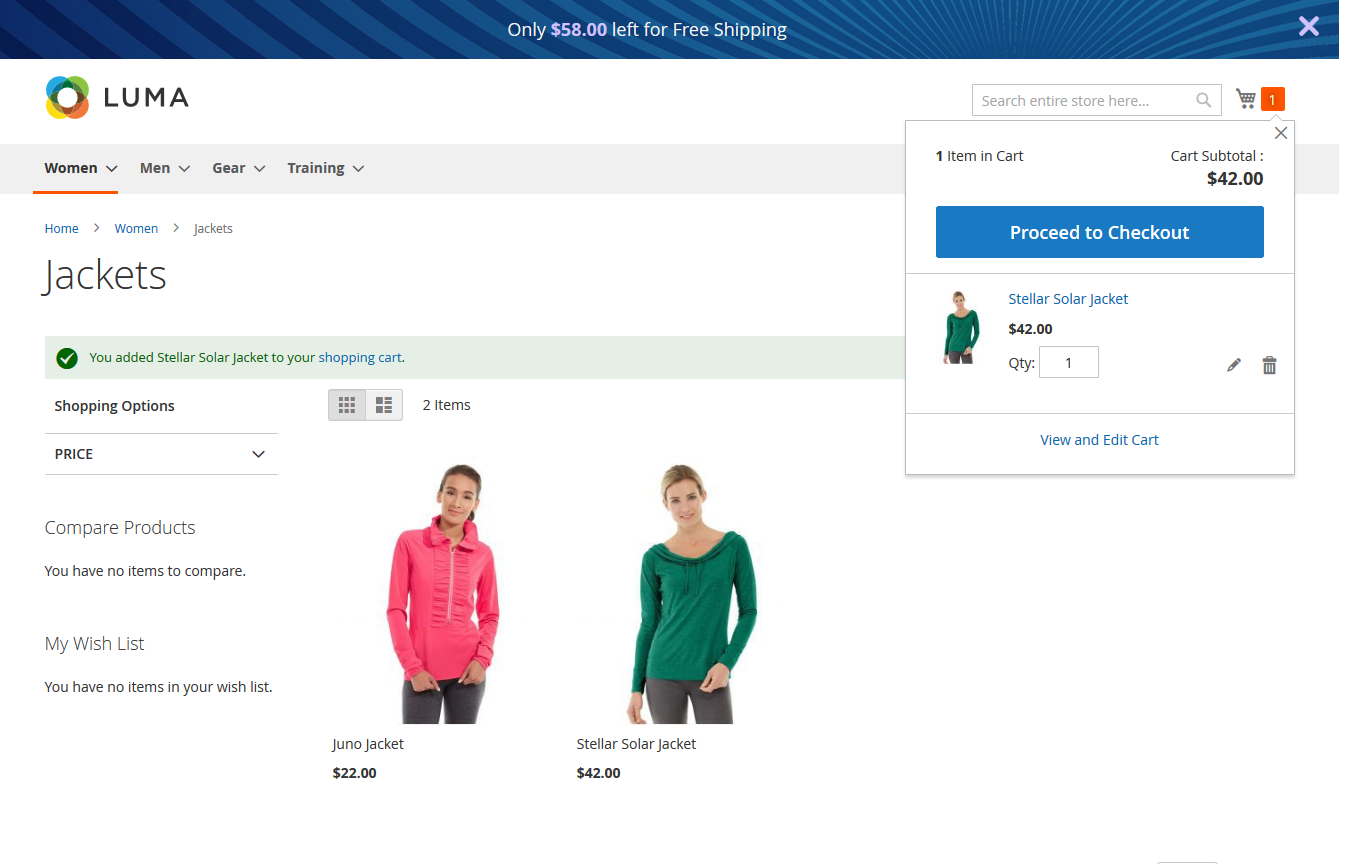
- With every item getting added to cart, progress message displays informing the amount left to get free shipping.
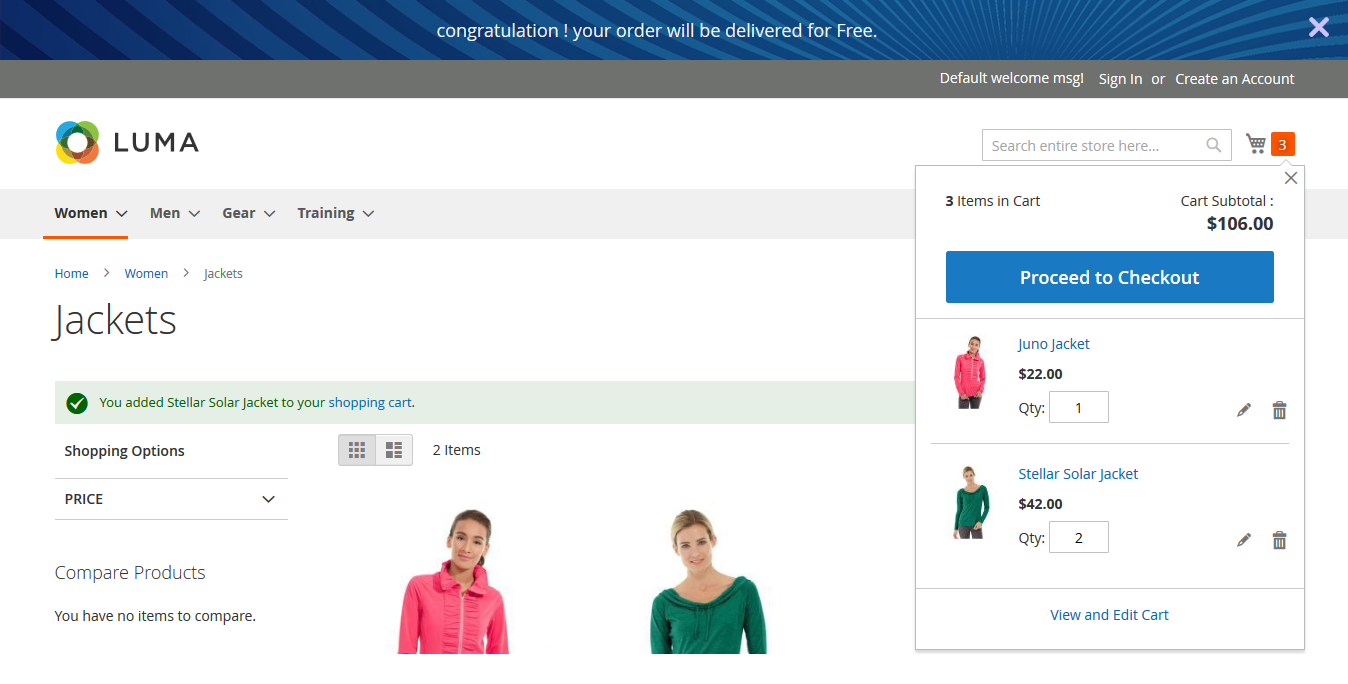
- As the total cart value satisfies the required free shipping goal amount, the visitor gets a free shipping goal achieved message.
"If you have any other questions or problems regarding this plugin, you can always contact us using the contact form and we'd be happy to help you. No guarantees, but we'll do our best to assist."
Our support operators are always glad to help you here [email protected]
Note: We are happy to help with setup and any bugs you may stumble upon.