Notification Bar
" Thank you for purchasing our plugin. please feel free to email via our user page contact form here. Thanks so much! "
The Magento 2 extension offers eCommerce merchants to create & display numerous attractive and call-to-action promotional bars for specific/all pages to grab customer’s attention on new launches, special offers, deals, etc. Show promo bars to specific or all customer groups.
Driving an eCommerce store is not simple, Customers have infinite options of websites to buy the same products but once the customer visits your e-store, you have to make sure to grab attention and impress them at the first sight. You need to attract and contrast your e-store from others by presenting them with great deals, special offers & discounts, updates, etc. And to spread these announcements and offers to maximum visitors, there is no effective way than displaying them in sticky notification bars.
Making an engaging notification bar or promo banner is a tricky task. A less attractive notification bar may not set the right impact or can lose a potential customer’s interest. For this, SetuBridge has developed NOTIFICATION BAR MAGENTO 2 EXTENSION. The eye-catchy promo bar module helps e-commerce merchants to create various promotional bars and notification bars to announce special offers, discounts, deals, advertise products & services, and convert your visitors into customers rapidly.
The promo banner module for Magento 2 offers admins to design, configure, and display various promotional bars with different messages at the same minute for specific/all pages. Admin can add call-to-action texts like buy now, know more, etc. and attach relevant links to redirect interested visitors to the linked page. Notification bars can be designed using custom text content, font family, text color, background color, background images, URL text, URL background color, etc. The extension offers an inbuilt WYSIWYG editor to design a quick and fast notification bar. The admin can schedule start and end dates to automatically start & stop displaying notification bars from the admin panel.
Also, admin can restrict notification bar visibility to specific customer and store views. Promo banners can be displayed on the home, product, category, cart, checkout, and other pages. The advanced functionality offers 3 predefined bar positions: Top of the page, Top of the content, and Bottom of the page. At the most, the admin can configure to display 3 different bars at 3 different positions on the same page. Moreover, Admin can choose to display the close button which permits visitors to close the notification bar by themselves. Alongside this, the admin can also schedule seconds to auto-close the notification bar once the visitor has arrived.
Here is few highlighted features:
- Design numerous personalized call-to-action promo bars and set them on specific/all pages
- Target notification bar to specific/all customer groups and store views
- Define notification bar priority( lowest value represents the highest priority)
- Display promo banner on the home, product, category, cart, checkout, and other pages
- Set promo bar visibility to 3 pre-defined positions: Top of the page, the bottom of the page, and top of the content
- Schedule start and end dates of notification bar to auto-stop displaying on the site after a set period
- Design notification bar using custom text content, font family, text color, background color, background images, URL text, URL background color, etc
- Choose to display a close button to allow visitors to close the notification bar by themselves
- Schedule duration to the auto-close notification bar
- Permit visitors to physically close the promo bar
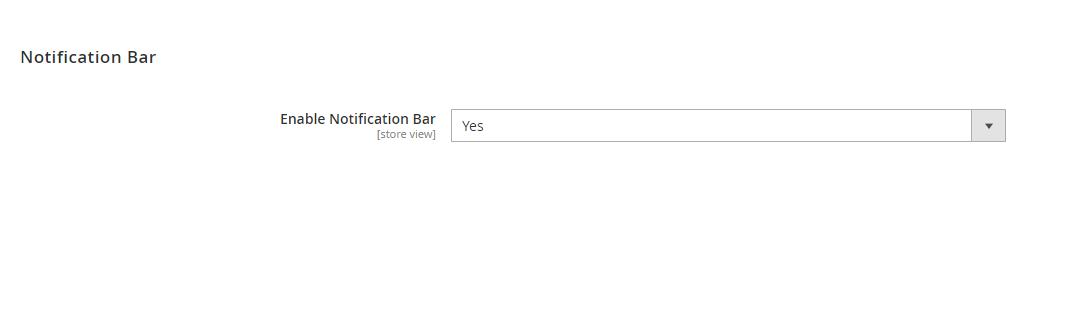
To use this Shipping Bar you have to Go to STORES > Configuration > SETUBRIDGE > Notification Bar Tab:
- Enable the Notification Bar Extension from Store Configuration.
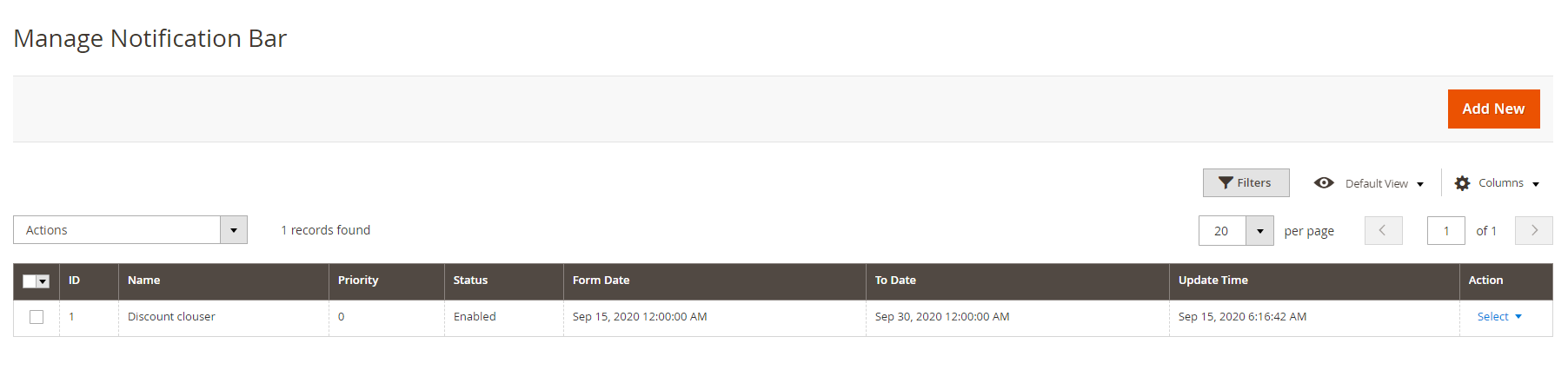
- Manage Notification Bars: Admin can easily manage all configured notification bars in grid format at the back-end.
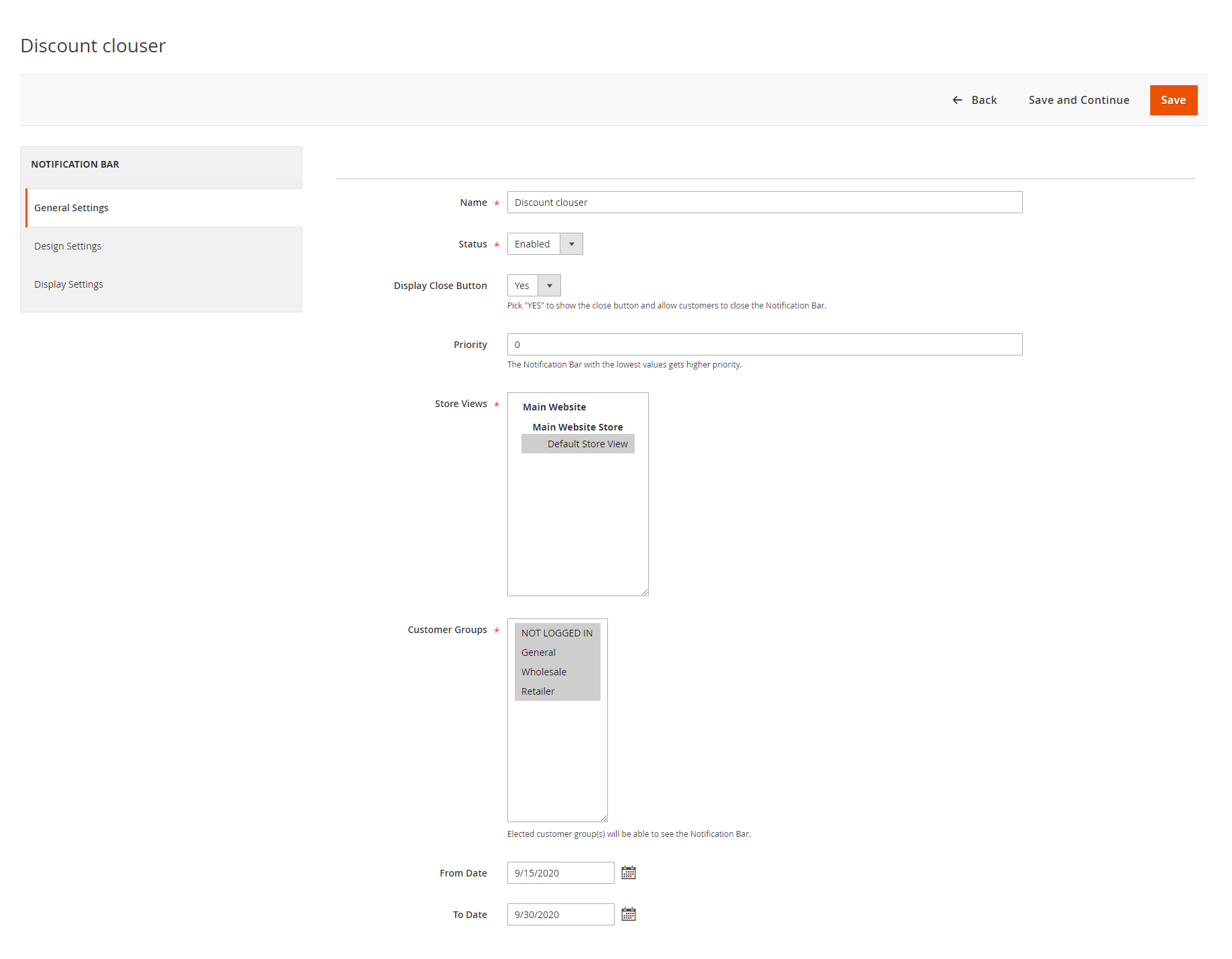
- Add Notification Bar: With a click on Add Notifications, the admin can design a new notification bar with custom options.
- The smart extension allows the admin to schedule the notification bar with start and end dates and also set their priorities. The bar with the least number (1) holds the highest priority. Further, the extension allows the admin to display the notification bar to specific/all customer groups or pages. Admin can also select to show/hide a close button for the notification bar.
- Set Auto-Close Notification Bar: Admin can schedule seconds to auto-close the notification bar after a visitor has visited. (Schedule seconds greater than or equal to 1 or the notification bar will disable)
- Notification Content: The admin can design promo bars using a WYSIWYG editor. The extension allows admin to enable and enter the Url link, thus redirect the interested victor to the linked page.
- Design & Live Preview: Admin can design promo bars with custom Background colors, Text color, Link color, and Background image. Background images of particular preference can be uploaded from the local system.
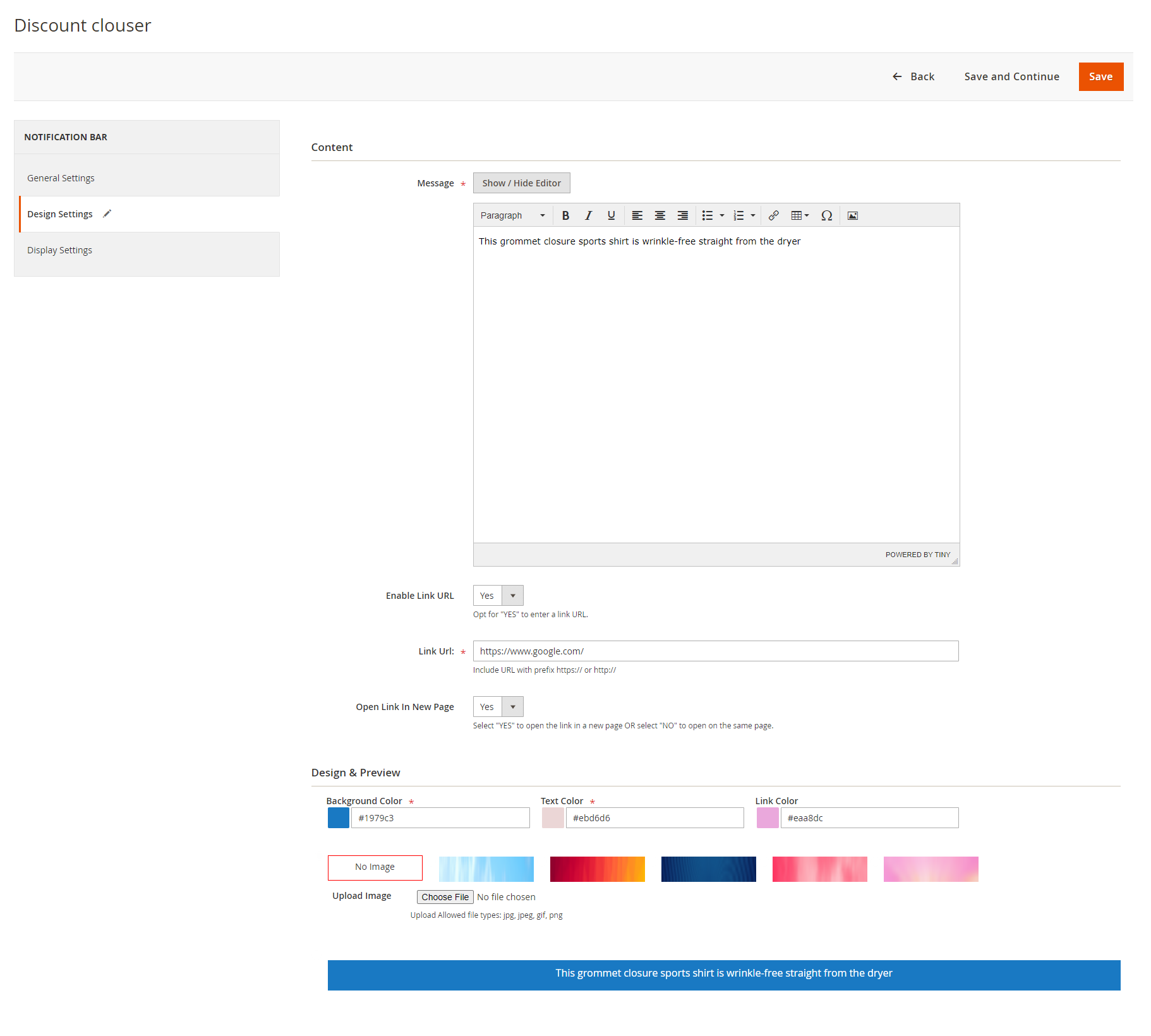
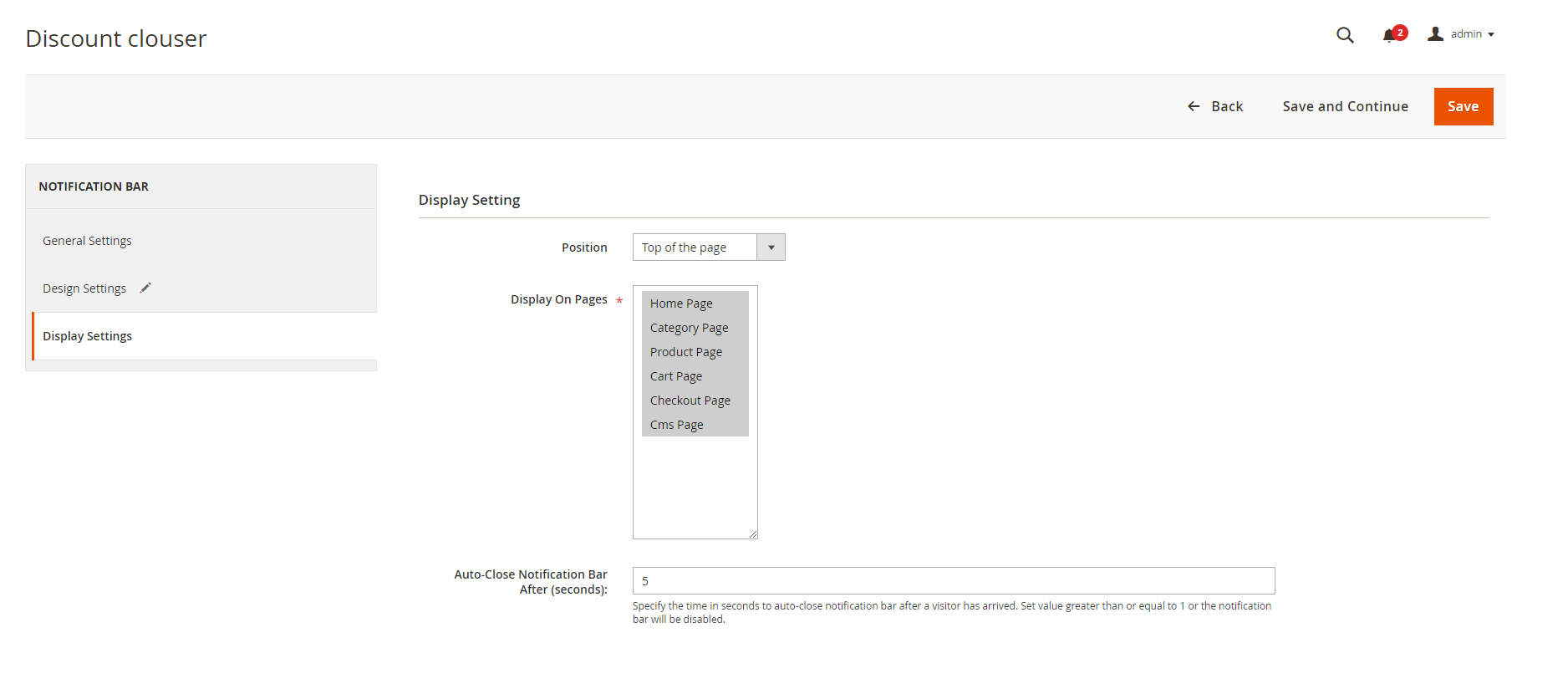
- Display Settings: The extension offers 3 predefined positions: Top of the page, Bottom of the page, and Top of the content (bottom of the menu bar). Admin can select any of the mentioned positions of the promo bar. Along with this, admin can also select pages to display promo bars.
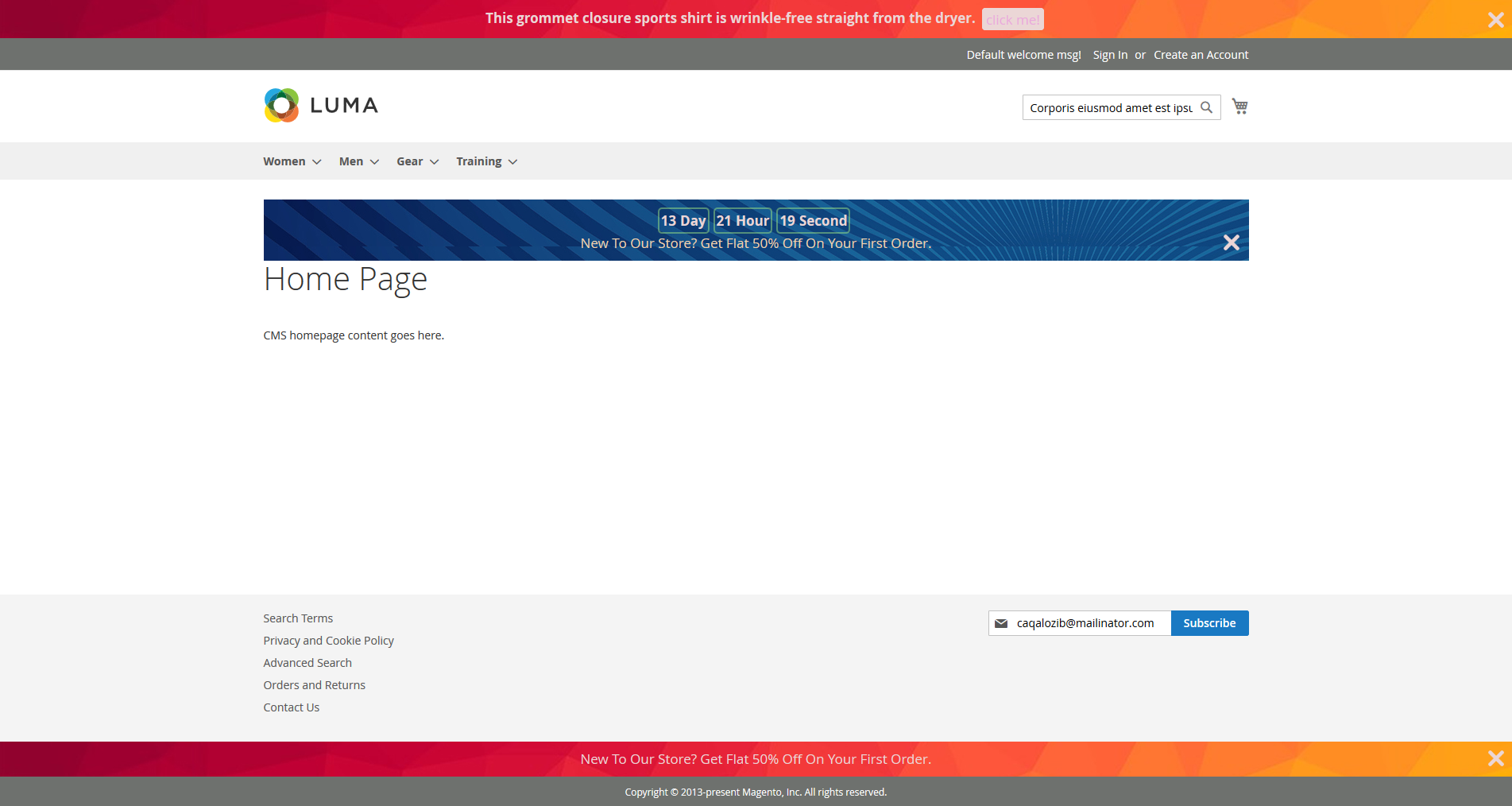
- Front-end view for all the notification bar positions.
"If you have any other questions or problems regarding this plugin, you can always contact us using the contact form and we'd be happy to help you. No guarantees, but we'll do our best to assist."
Our support operators are always glad to help you here [email protected]
Note: We are happy to help with setup and any bugs you may stumble upon.