Product Attachments
" Thank you for purchasing our plugin. please feel free to email via our user page contact form here. Thanks so much! "
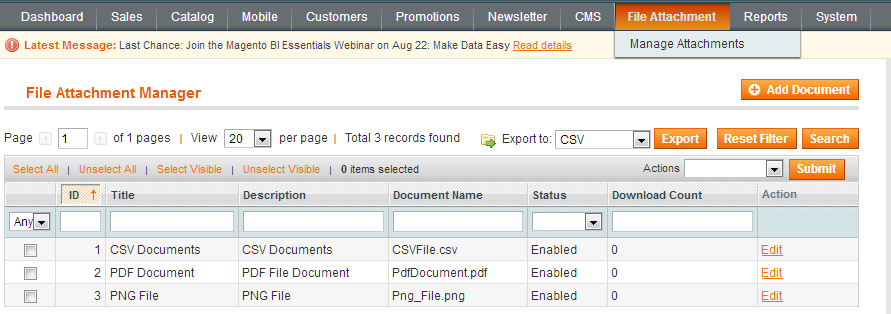
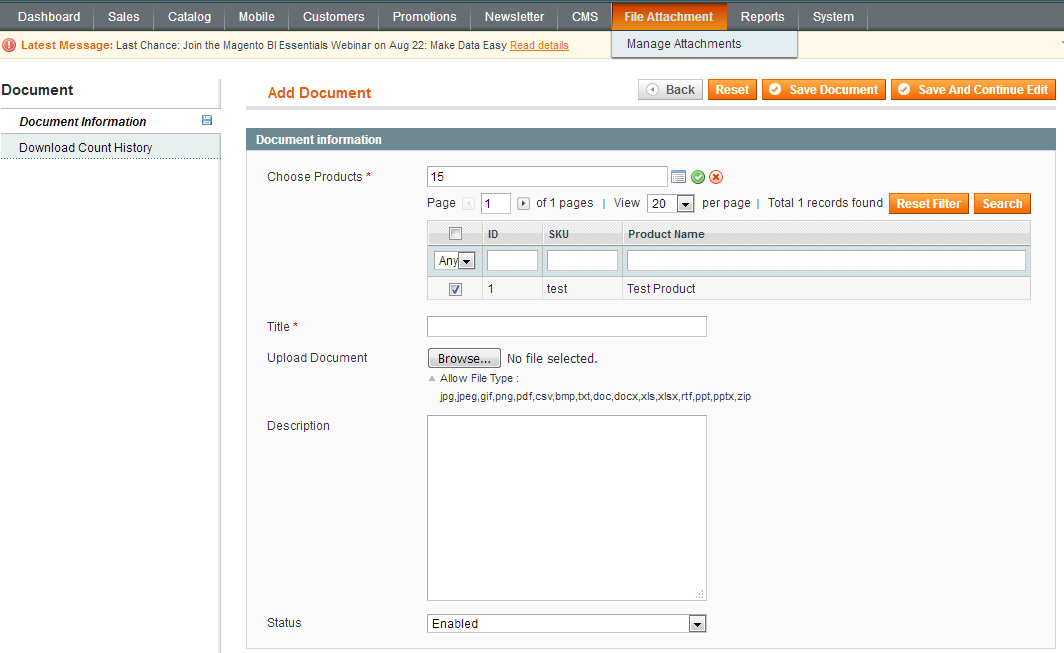
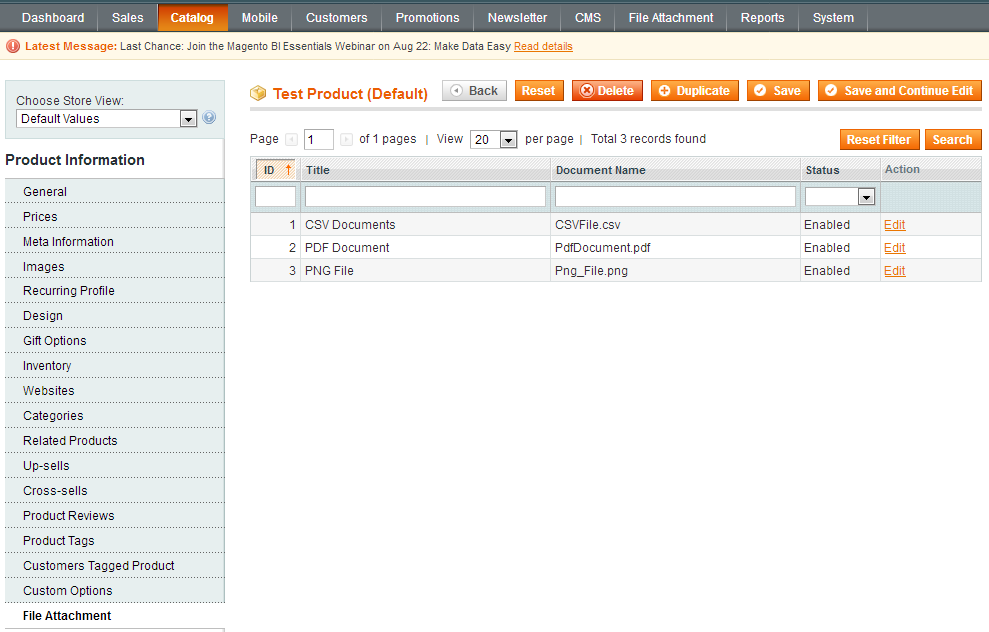
With Product Attachments extension, the store owner gets the improved functionality to upload various types of files to store products. By uploading product attachments, you can provide full information about your products and get an increase in conversion and engagement. The customer can download an attachment from the product detail page. It allows the store owner to attach all popular file formats like jpg, jpeg, gif, png, pdf, csv, bmp, txt, doc, docx, xls, xlsx, rtf, ppt, pptx, zip extension files. The extension has no limits amount of attached files to a product. Files also can be attached to a product in a very convenient way under attachments tab on a product page in admin panel.
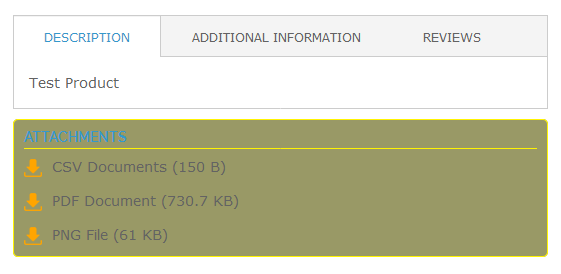
The store admin can set the access permission to attached files so that only registered users of your store can download them. The file attachments on a product details page it shows the file attachment icon, title and size(optional) to your customers. This extension gives you several ways to add, edit, and delete your attachments on the front end. Admin can specify the uploaded file positions like below quick overview, below add to cart button, below stock label and below additional information from the backend for display attachment on a product page. Additionally, with a backend configuration admin can see download count of an attached file for the specific product.
Here is few highlighted features:
- Enable/Disable extension from a backend.
- Specify the position of the downloadable files on the store frontend.
- Allow file formats: jpg, jpeg, gif, png, pdf, csv, bmp, txt, doc, docx, xls, xlsx, rtf, ppt, pptx, zip.
- Files are displayed with an icon, title and size.
- Manage file title from a backend.
- Fast and easy upload form backend.
- Upload unlimited numbers of file attachments.
- Configuration to add, edit, and delete your attachments on the front end.
- Admin can see download count of the attached file for the specific product.
- Ability to enable/disable guest download from admin configuration.
- Ability to enable/disable specific attachment from a backend.
- Easily manage uploaded documents from a backend.
- Attachment section personalisation from the backend for display on a product page.
- Display attechment section configure from backend
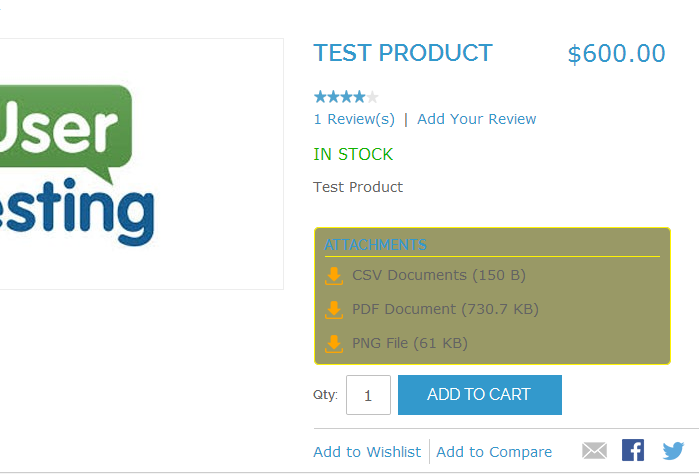
- Attachment section position below additional information
Here you can find answers to frequently asked questions. Feel free to contact if you can't find answer to your question.
1. Can i upload multiple files for one products ?
Yes, this is possible with our extension.
2. Does the extension show a download counter in the admin panel ?
Yes, the counter is displayed in the product attachment grid.
3. Can i request customer to login before downloading the attachments?
Yes, admin can select this option from the extension configuration.
4. Can you use this extension for upload pdf for specific categories?
This is currently not supported. We will consider this features in our next version.
"If you have any other questions or problems regarding this plugin, you can always contact me using the contact form on my profile page and I'd be happy to help. No guarantees, but I'll do my best to assist."
Our support operators are always glad to help you here [email protected]
Note: We are happy to help with setup and any bugs you may stumble upon.