Reuse Product Images in Media

" Thank you for purchasing our plugin. please feel free to email via our user page contact form here. Thanks so much! "

Tired of uploading the same product images over and over? Worry no more! Use Reuse Product Images In Media extension, which allows you to create a set of images which you can assign to multiple products. For example, if you use the same size chart for all apparel, you can upload the size chart image to a template and then assign a template to all apparel. This way you won't need to upload the size chart image for each product. The picture sets which you assign to products are added to product images and they are displayed together with other product images on the frontend. The admin can enable/disable images from the image list right from the backend.

Here is few highlighted features:

To use this Reuse Product Images in Media you have to Go to System > Configuration > Reuse Product Images in Media Tab:
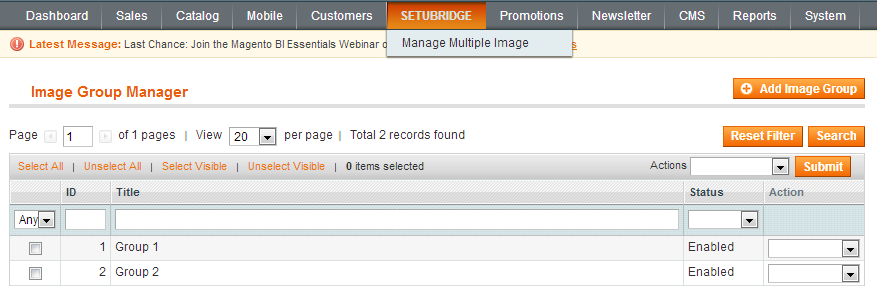
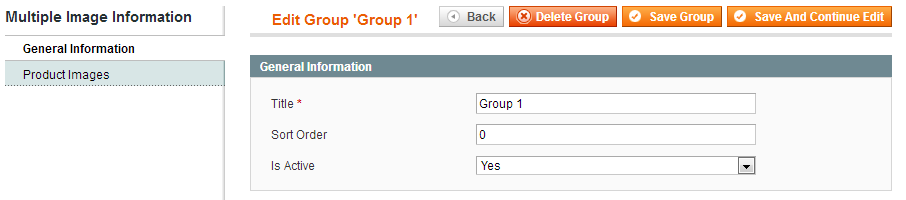
  • List of created image group
  • Select Yes/No to is active group
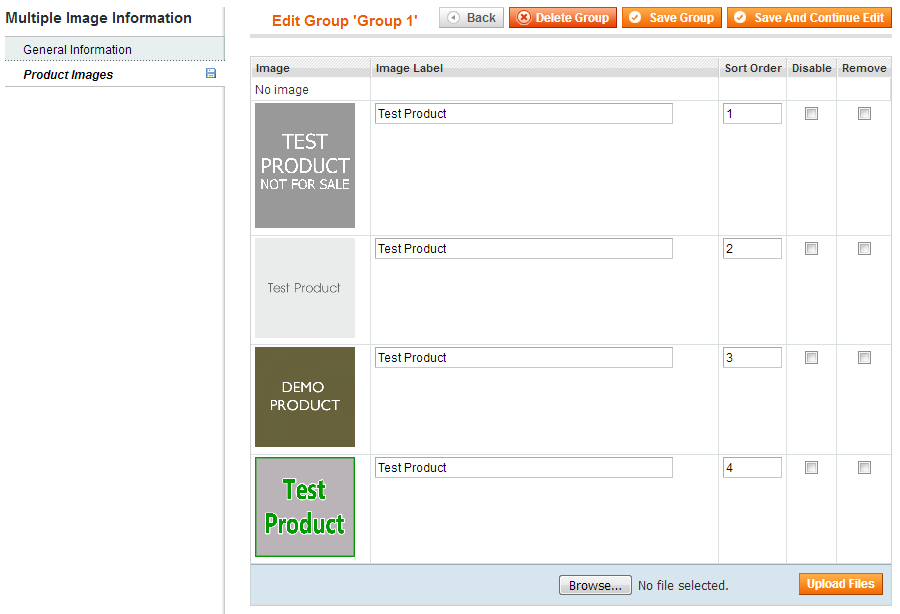
  • Select images for selected group
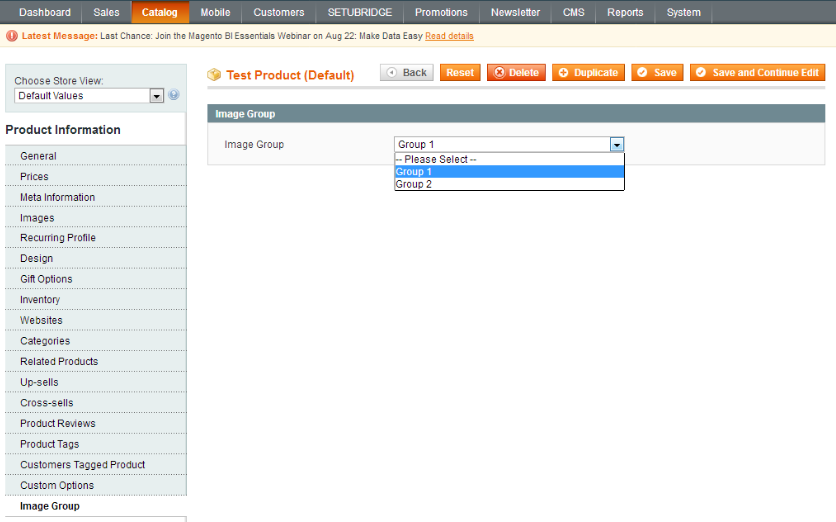
  • Image Group tab is added for the manage product
  • Select image group which you want to display for perticulare product
  • Image group to Default Store
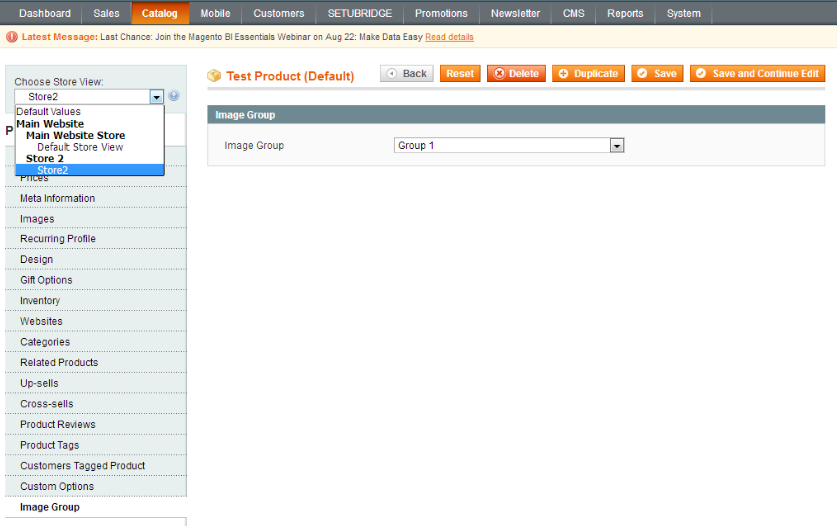
  • Select image group for Store level
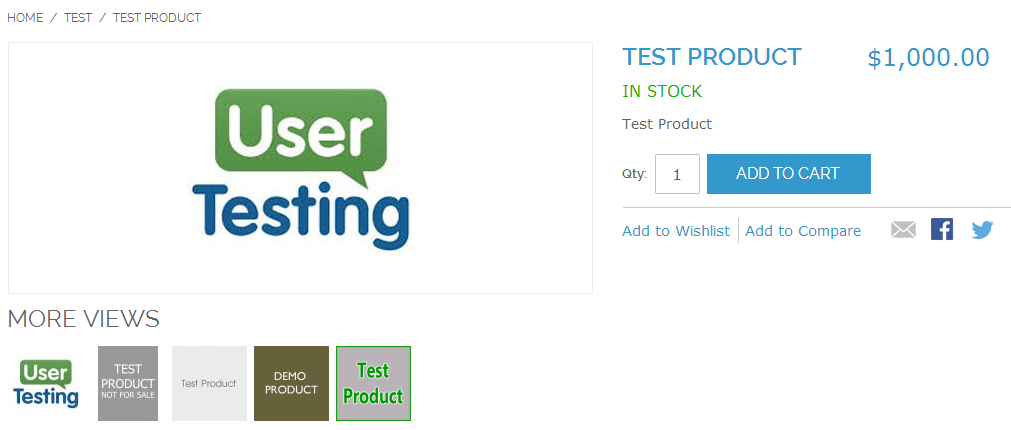
  • Selected image group Product images from more view thumbnail image

Here you can find answers to frequently asked questions. Feel free to contact if you can't find answer to your question.


1. Does Support to multiple store ?

Yes, Extension Support to multiple store.


2. Can Upload multiple images at a time?

Yes

"If you have any other questions or problems regarding this plugin, you can always contact me using the contact form on my profile page and I'd be happy to help. No guarantees, but I'll do my best to assist."

Our support operators are always glad to help you here [email protected]


Note: We are happy to help with setup and any bugs you may stumble upon.