Shipstation SyncPlus
" Thank you for purchasing our plugin. please feel free to email via our user page contact form here. Thanks so much! "
Let's stop entering orders manually! Shipstation Syncplus extension will automatically sync all your orders to magento from shipstation.
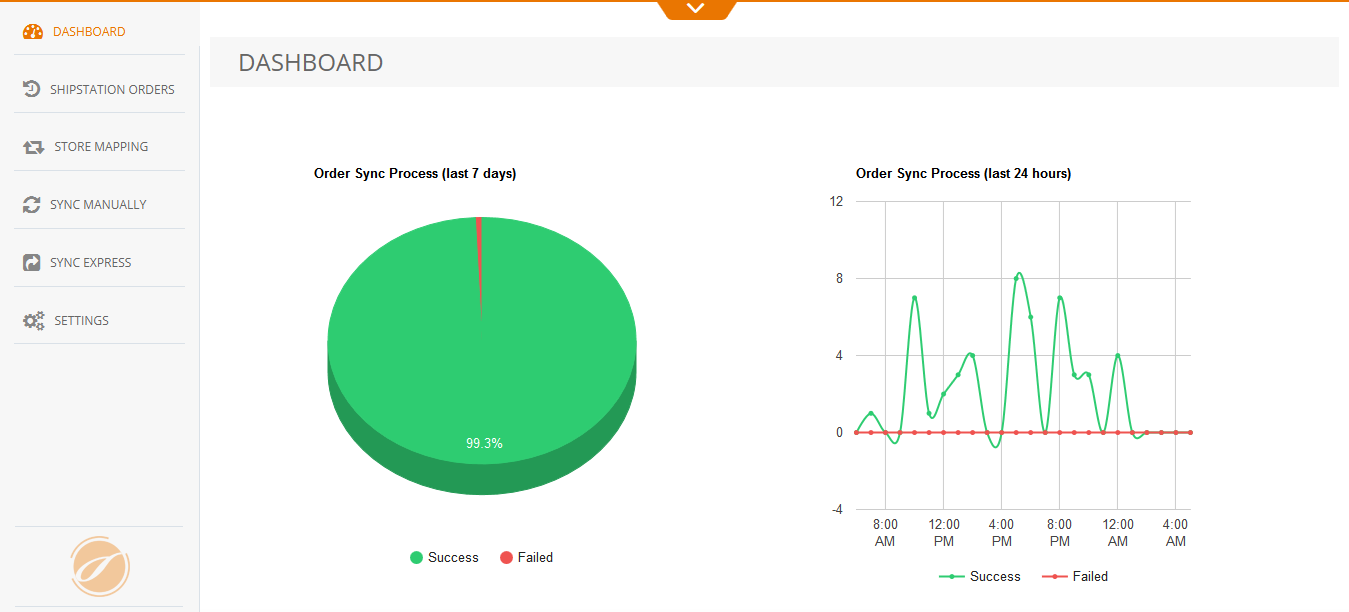
Shipstation Syncplus extension designed for extremely fast performance it consist dashboard order sync chart to Display total number of orders data result i.e failed/success. Shows two variations of charts one for last 7 days and other or last 24 hours. The most updated data on shipstation will automatically be update on magento store.
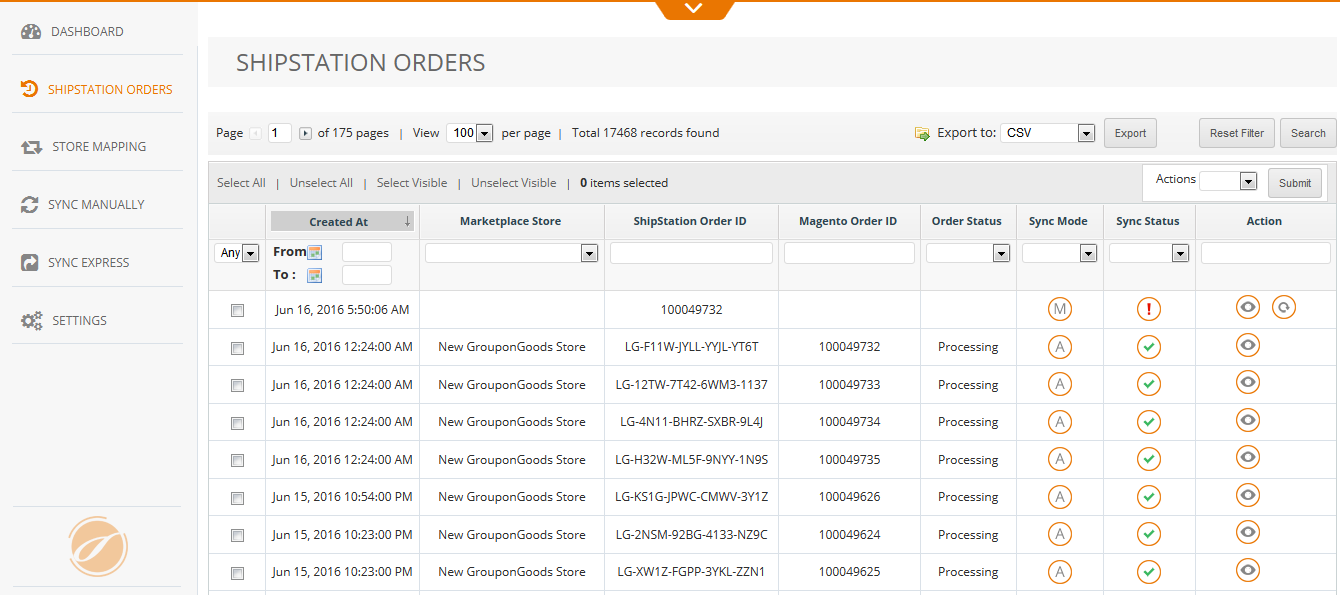
Shipstation Orders display total order records. If order fails to sync it displays error in order table. You can sync order again with the help of resync button.
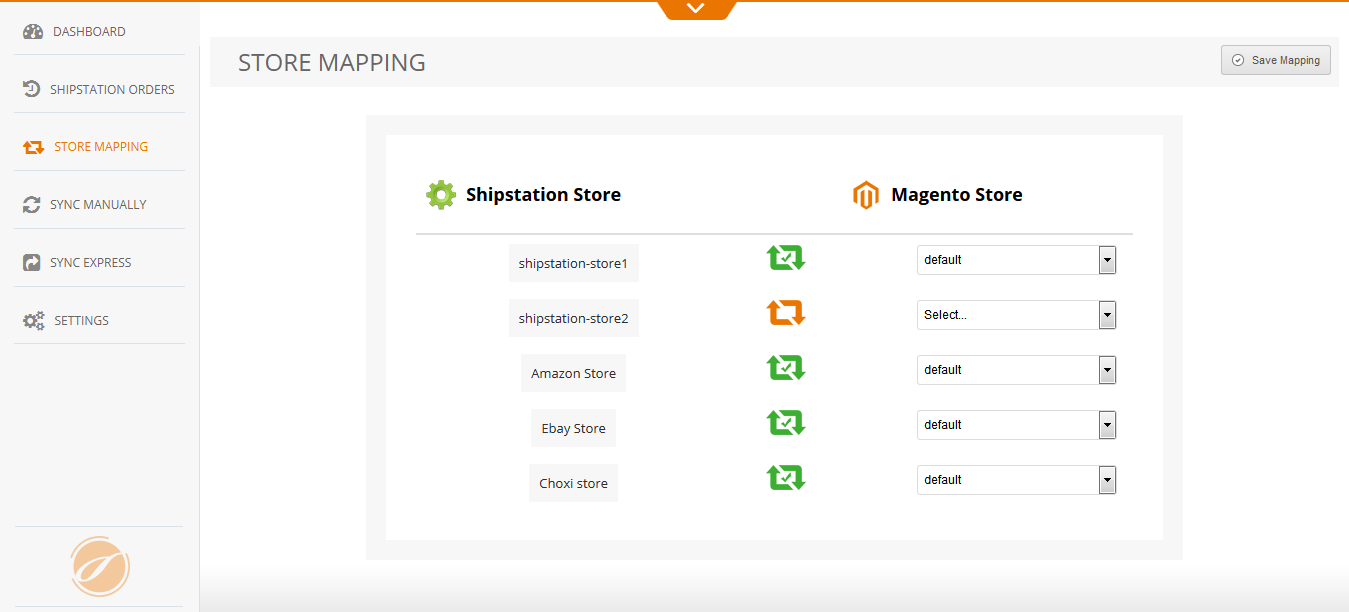
Shipstation Syncplus extension provide one of the excellent facility of mapping specific warehouse to determined magento store if you don't want to map any store all your orders will be mapped to default magento store. We've made it extremely easy!
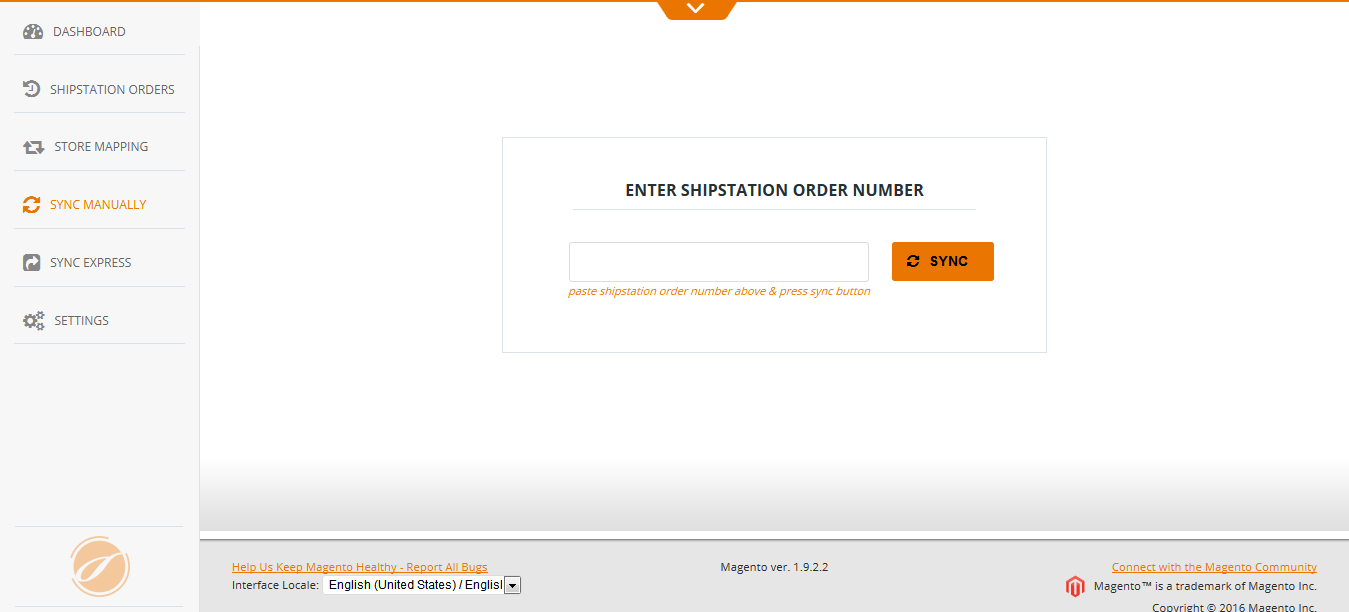
If you prefer to sync your order manually just enter your Shipstation order number in given field and click the sync button to start.
A Backend configuration option lets you Enable/disable extension. In Extension Order Settings you can able to sync cancelled order just, select yes in magento admin configuration. Extension provides an option that lets you generate invoice after order created.
Shipstation Syncplus extension allows you to Create Customer automatically with the based on Shipstation Order Address if customer not exist for created order.
A useful option to sync old orders. You can able to skip order sync when product does not exist in magento store. In case if you want to sync this type of order product will be automatically created, you need to only specify inventory for create product. You can able to unmap Shipstation store order that are Assigned to default magento store.
- Order sync Process chart for last 7 days
- Order sync Process chart for last 24 hours
- Shipstation stores and Magento stores
- Shipstation stores mapping is successfully done or Unmapped store
- Enter Shipstation order number and click on "SYNC" button for manually sync order
- Shipstation Orders manage Manual sync mode or Automatic sync mode
- Resync if error in order sync
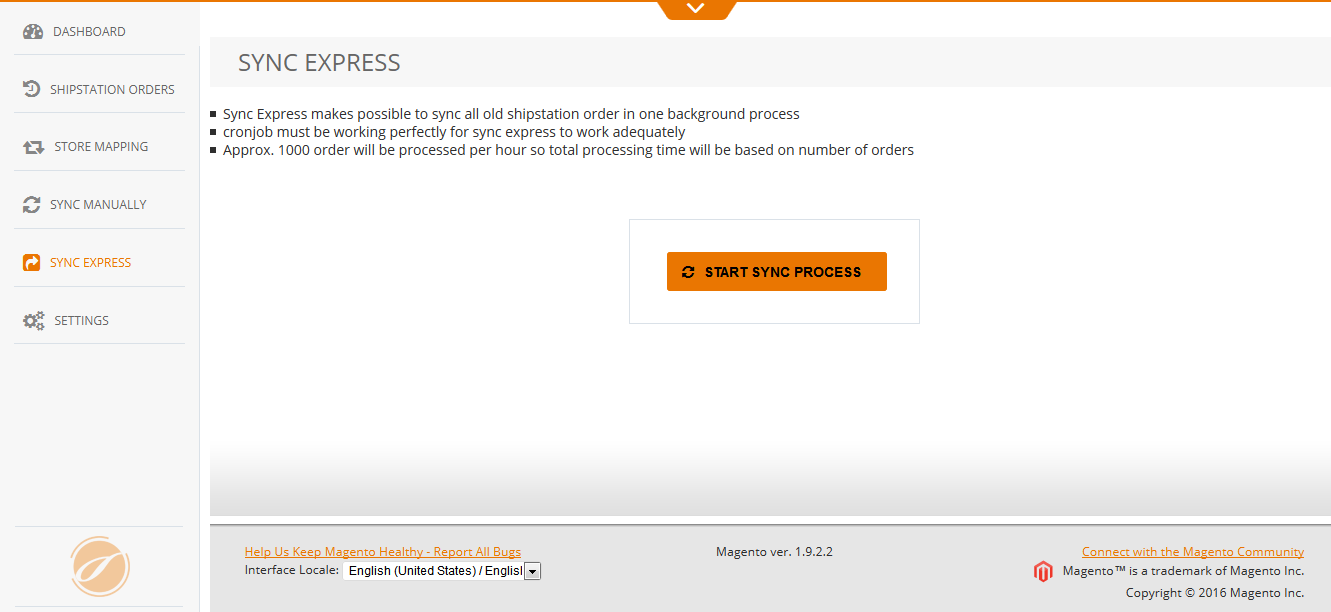
- Sync Express Click on this button to sync all old orders
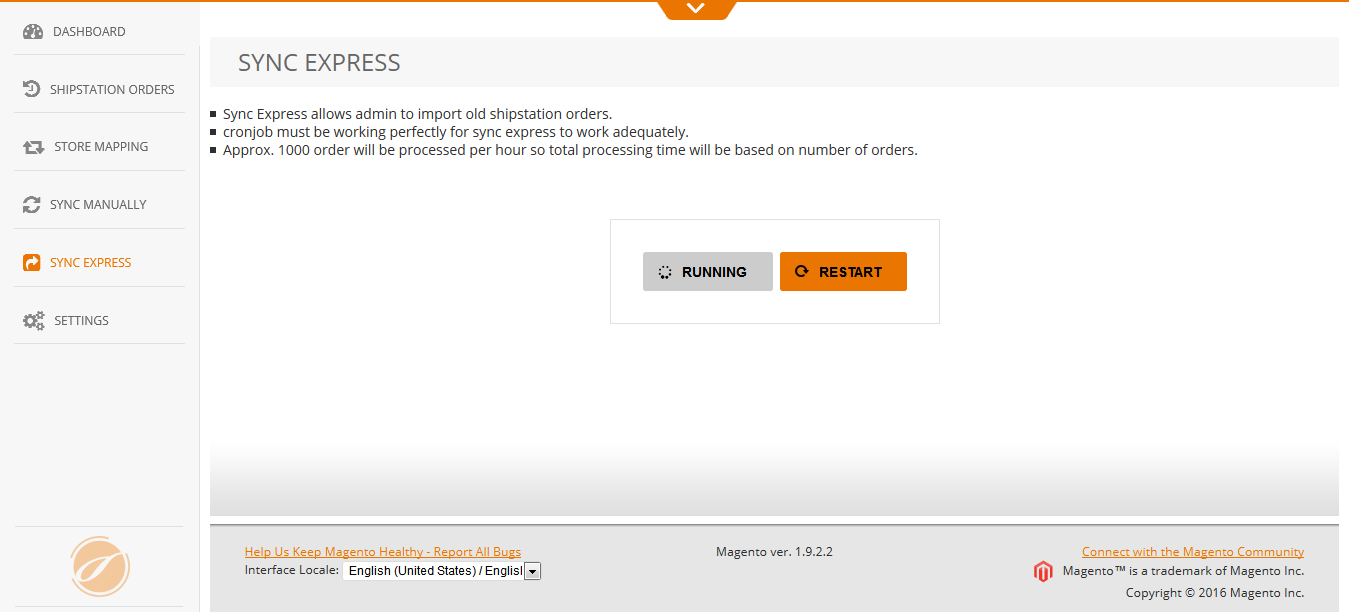
- Sync Express Click on this button to restart sync process
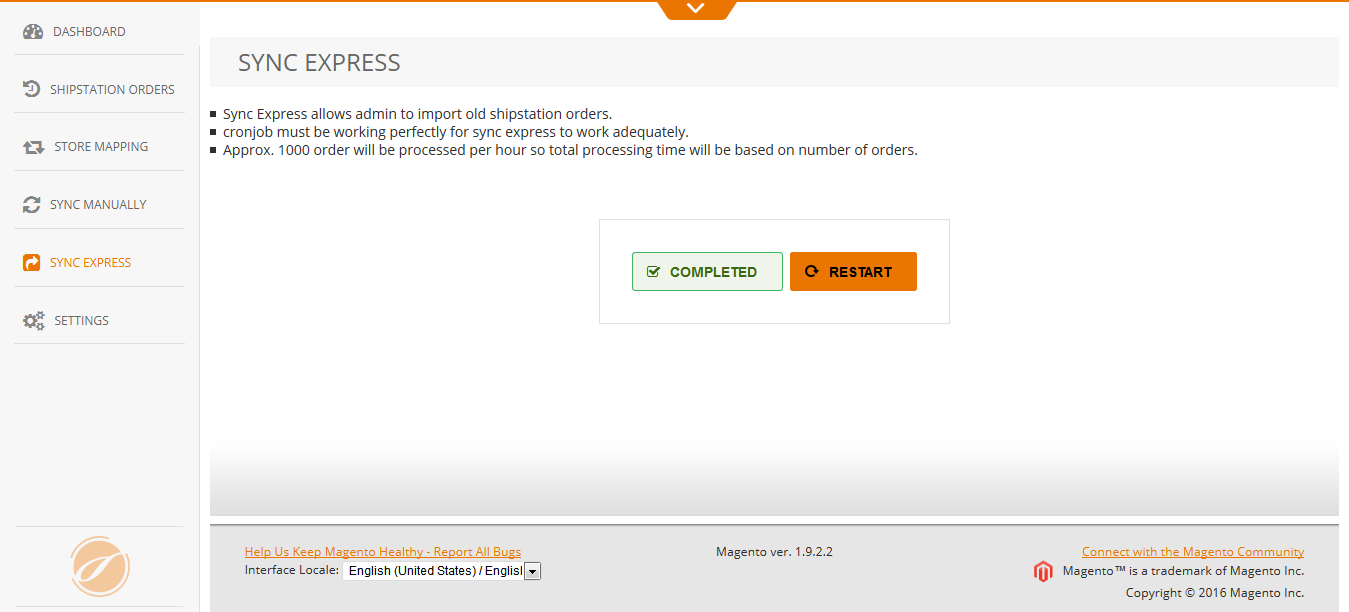
- Sync Express Sync Completed
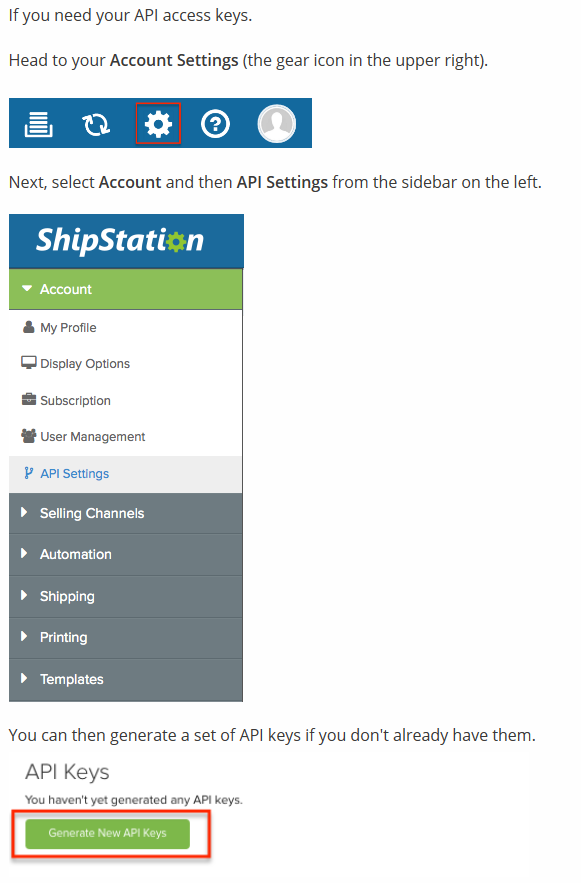
- Configure ShipStation Api Credential
Here you can find answers to frequently asked questions. Feel free to contact if you can't find answer to your question.
1. Is this sync all old orders ?
Yes, This is sync all orders via cron job.
2. Can admin sync manually order ?
Yes, admin can sync manually order by order number.
"If you have any other questions or problems regarding this plugin, you can always contact me using the contact form on my profile page and I'd be happy to help. No guarantees, but I'll do my best to assist."
Our support operators are always glad to help you here [email protected]
Note: We are happy to help with setup and any bugs you may stumble upon.