WhatsApp Notification
" Thank you for purchasing our plugin. please feel free to email via our user page contact form here. Thanks so much! "
Magento2 WhatsApp notification extension is a beneficial tool to send alerts about different store events on customer WhatsApp number.
Communication is a crucial medium for a business entity to edge over a competitor. Innovative merchant customer communication strategies with the advancing technology keep the track of sale graph upward. Tacts that are cost-effective as well as stands no change to get missed or ignored by the customer are the one that creates a great firm bond. One of the best strategies is to use WhatsApp alert notification using customer’s WhatsApp contact detail as its stand rare chance to miss SMS alert notification bar on the mobile screen.
We at SetuBridge has developed great tool to help ecommerce merchants to setup automation to send alerts directly on customers WhatsApp number. This Magento alert tool supports major events like new order placement, invoice, shipment, credit memo, customer registration, contact inquiry etc. It also allows admin to receive same notification on WhatsApp. The extension is compatible with Twilio WhatsApp API to send notifications to customers
It's extremely flexible for admin to configure & manage different SMS notifications content directly from admin panel. It's easy to create separate templates for each event & attach with that. Extension makes it easy to inject different dynamic variables from order, customer, ordered item, contact field in SMS template.
Here is few highlighted features:
- Instant alert notification for store events like New Orders, invoice, Credit memo(Refund Order), customer registration, contact inquiry , shipment etc.
- Admin gets same alert notification to follow up the progress.
- Easily customized template for each event.
- Customize SMS notification alert form the backend.
- Enable/disable option to personalize alert notification.
To use this WhatsApp Notification you have to Go to STORES > Configuration > SETUBRIDGE > WhatsApp Notification Tab:
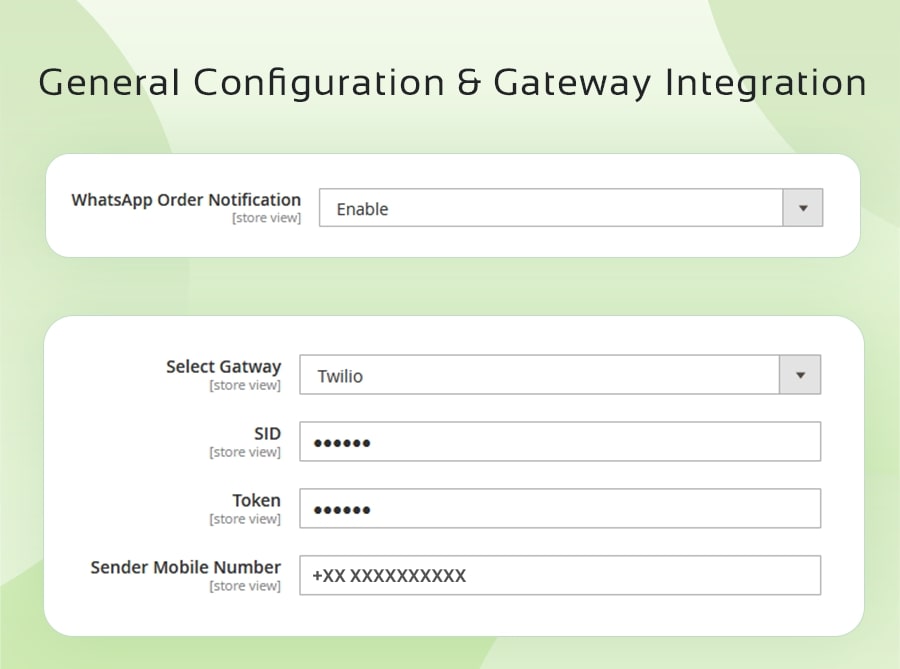
- General configuration:
An admin operating this extension can either enable or disable WhatsApp order notification on the configuration page. For, WhatsApp gateway integration configuration, admin can choose supported gateway. For complete access, SID, Token and Sender mobile number is required.
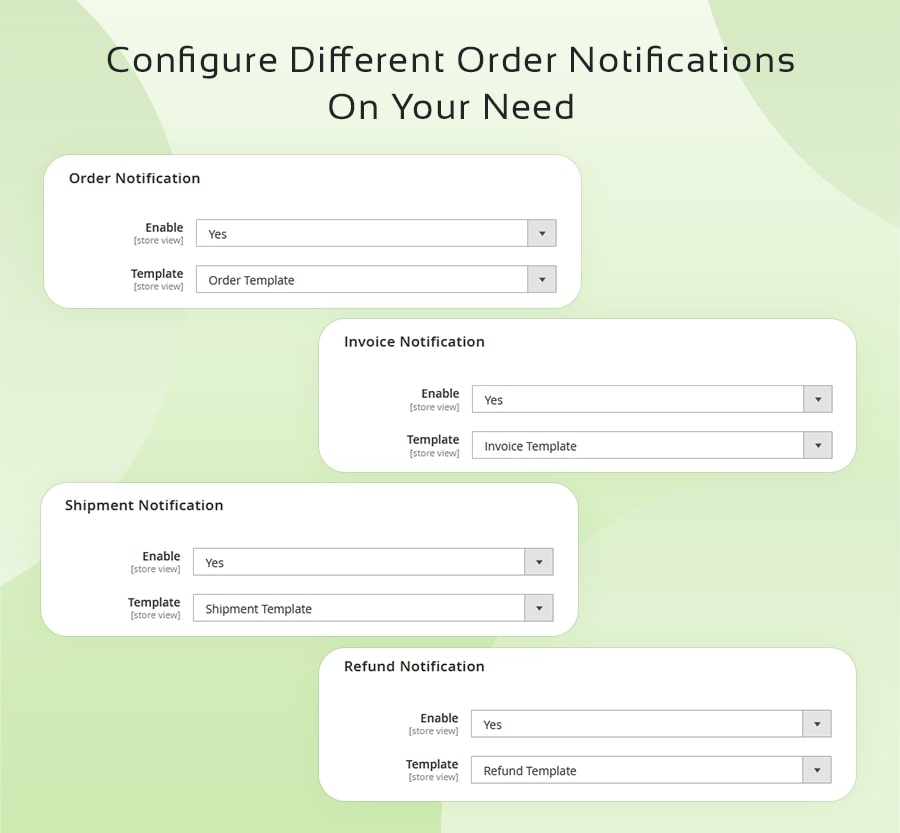
- Configure different order notification:
Instant alert notification store events: Admin can use the default template or can customize template content for each store event updates>
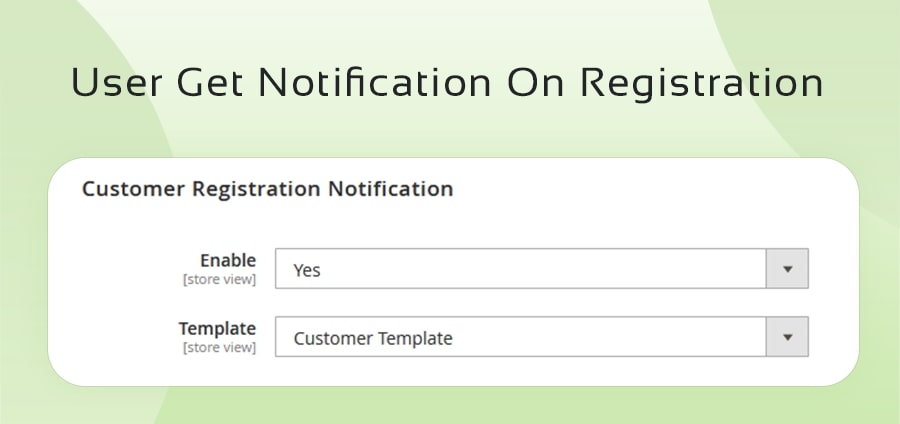
- Registration Notification:
When a user makes a registration, configure to send the registration notification across the registered WhatsApp number.
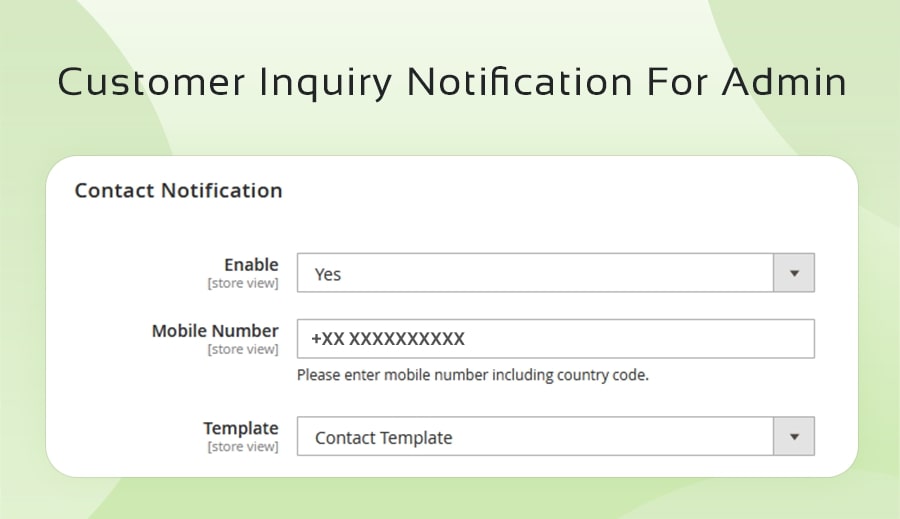
- Customer Inquiry Notification: Admin can configure to get customer inquiry notification on the contact number mentioned in the backend.
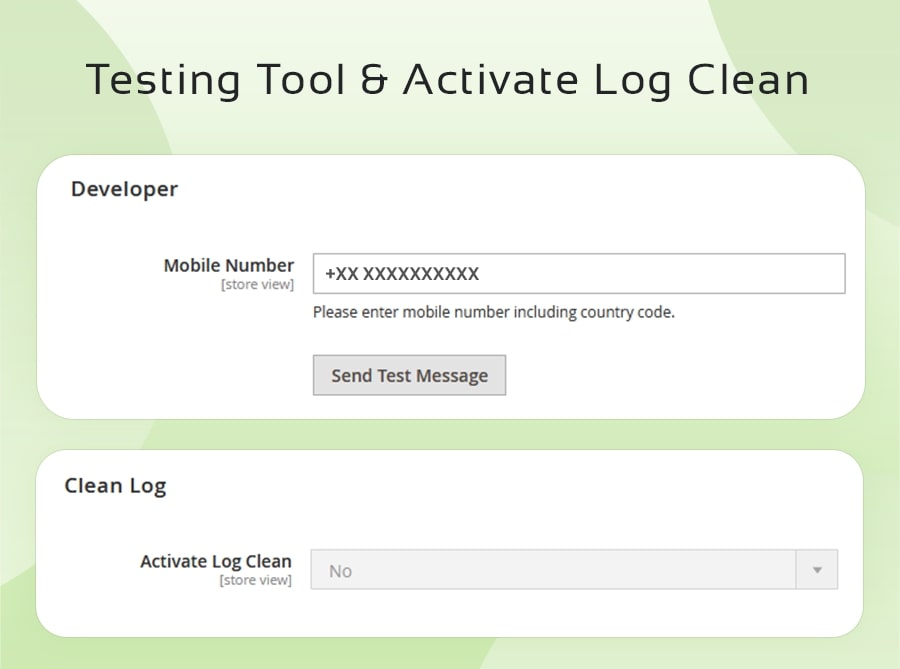
- Developers:
To testify the working of the plug-in, admin can enter mobile number with country code to get a test text.
Clean log:
All the notifications sent to customers are recorded in the backend. Admin can configure to clean log automatically after selected number of the days.
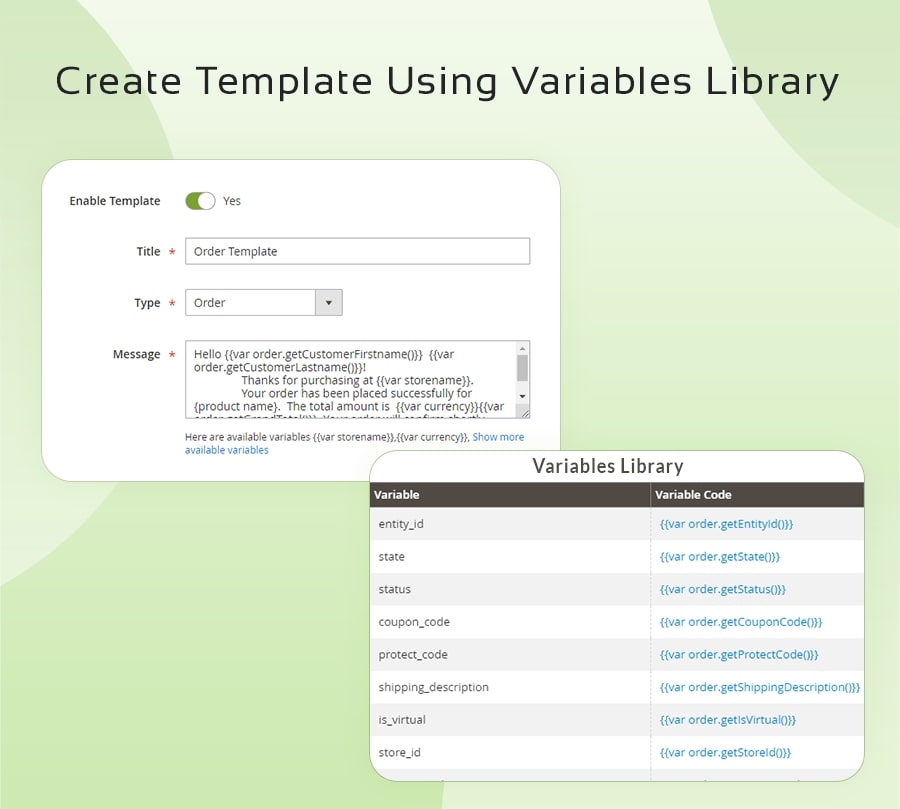
- Create Templates:
Create a WhatsApp alert template can be customized using variables library.
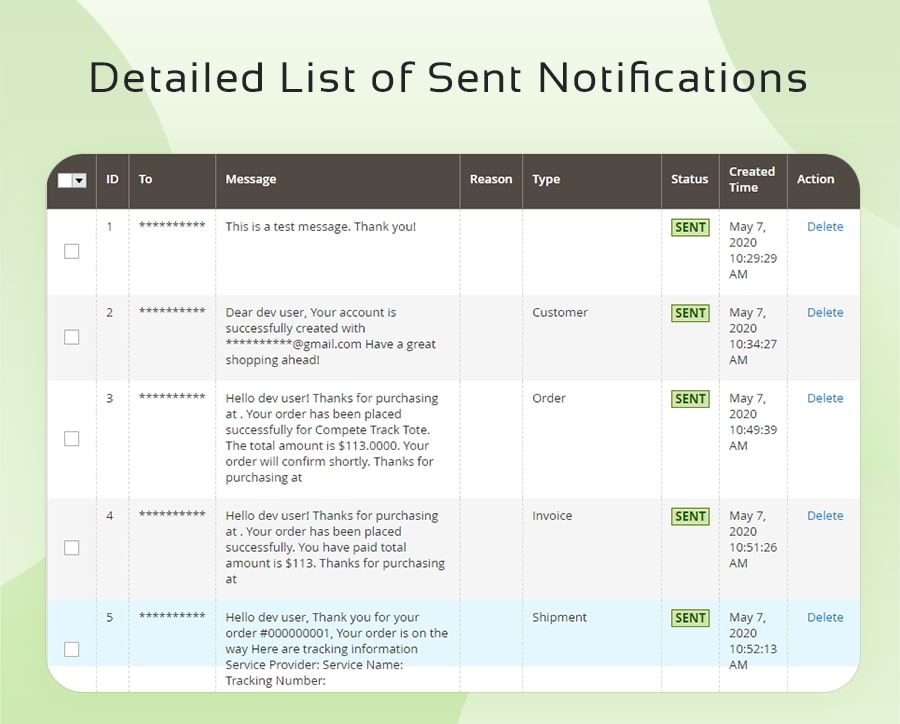
- Notification logs:
Admin will have a record of all the notifications sent to customer in grid format. Notifications can be deleting individually or admin can enable timely clean log feature for automatic cleaning of logs.
"If you have any other questions or problems regarding this plugin, you can always contact us using the contact form and we'd be happy to help you. No guarantees, but we'll do our best to assist."
Our support operators are always glad to help you here [email protected]
Note: We are happy to help with setup and any bugs you may stumble upon.