
Experience the power of our Magento extensions firsthand. Explore a live demo to see how they can enhance your store's functionality and elevate customer experience!
- Overview
- Screenshots
- Description
- Reviews
- FAQ
- Changelog
Magento Product Price Bargain Extension
M1
The Magento Product Price Bargain Extension increase sales by offering a customer to negotiate product price request directly from the detail page.
99+ Downloads
Special Price $29 Regular Price $49
Lifetime access to original source code
1 Yearfree support & update
45 days money back guarantee
Feature:
- Configure price bargain box for specific products
- Real-time price negotiation
- Set attempts for price negotiation request
- Minimum price configuration for specific products
- Message customization on request accept, denied & attempt limits
Screenshots
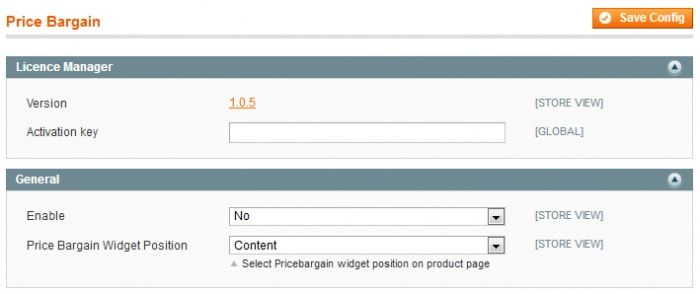
General Configuration:
Here is a configuration option to Enable/Disable the Customer Price Bargain extension.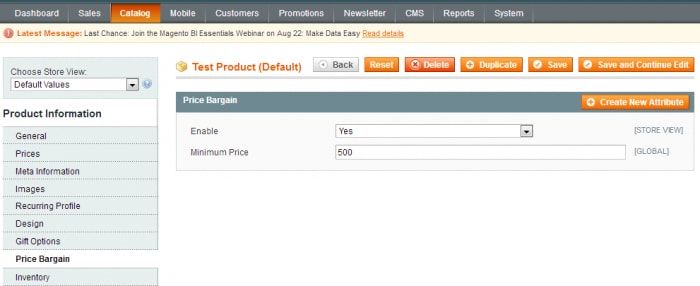
Set price negotiating condition:
It has a more logical field configuration for the admin to set up minimum price bargain conditions.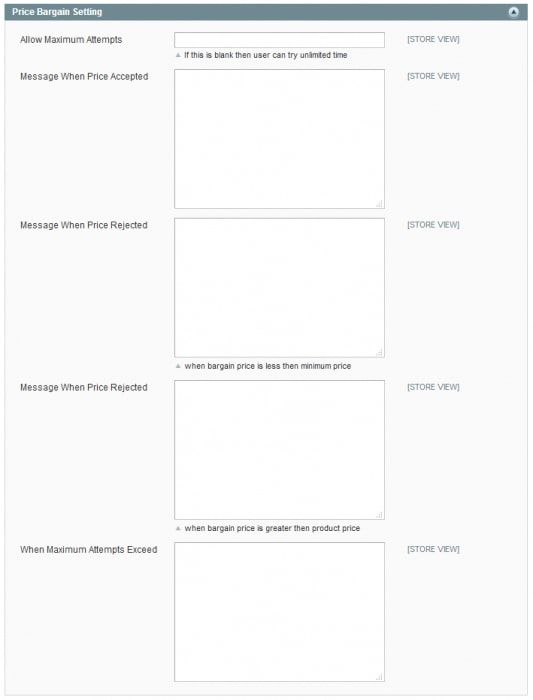
Price Bargain Attempt & Message Setting:
You can set a number of maximum attempts you want to allow for a bargain price request by the customer If you keep this field blank customers can try unlimited attempts. Admin can manage a succe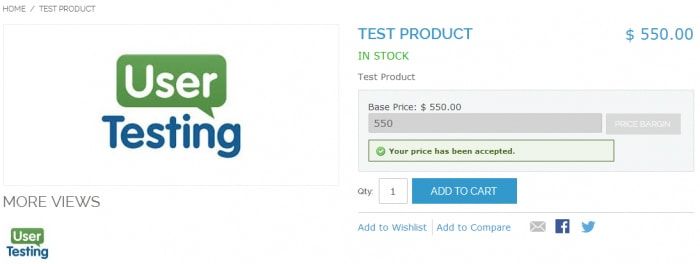
This success message if price hase been accepted.
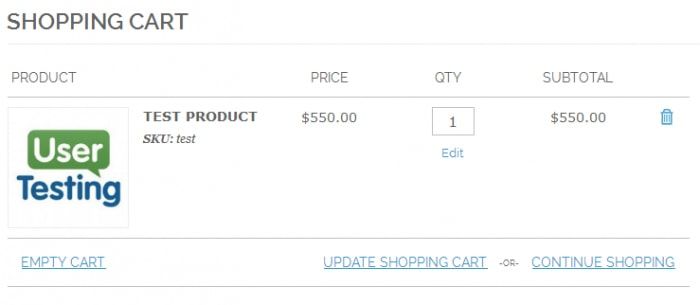
The shopping cart will get generated after a negotiated price gets accepted.
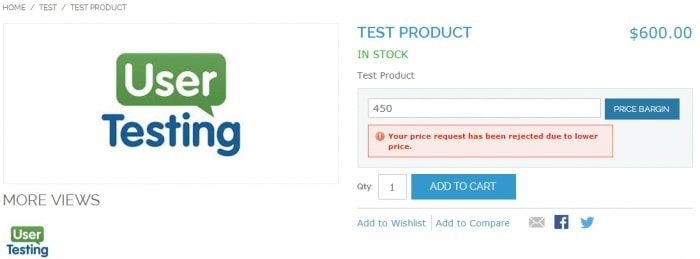
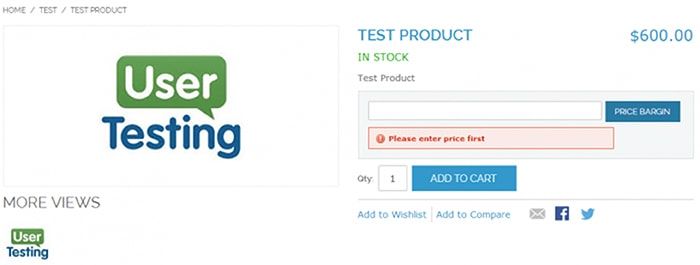
This error occur when customer enter less price than required amount.
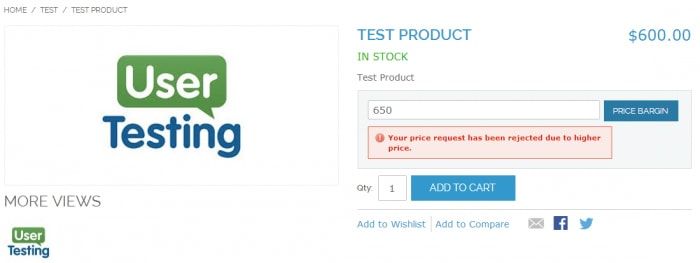
This Error occur when customer enter greater price than required amount.
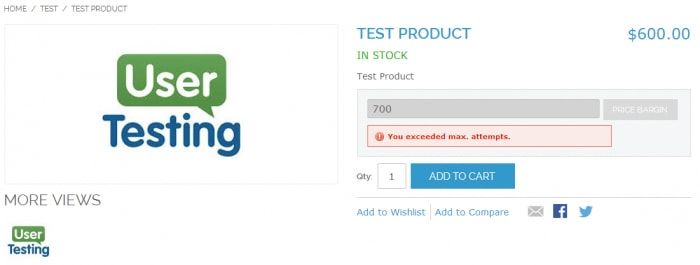
This Error occur when customer exceed maximum attempts.
Description
WHY MAGENTO PRICE BARGAIN EXTENSION?
The Magento product price bargain extension offers a customer to negotiate product prices right from the product detail page in real-time. Surprisingly, a whole price negotiating sequence can be planned by the store admin with just a few configurations.
This extension can surely increase sales by offering the customer to purchase products at their prices. Its study has proven that customers are always gets attracted by the fact that a store is either giving a discount or allowing purchases with customer-specific prices.
This extension can surely increase sales by offering the customer to purchase products at their prices. Its study has proven that customers are always gets attracted by the fact that a store is either giving a discount or allowing purchases with customer-specific prices.
How does Magento Price Negotiation Extension Work?
Generally, applying to negotiate product price using a Customer Price Bargaining request extension is the best way to reach a beneficial trade between you and your customers. This creates a control for admin to add minimum price user can bargain & purchase specific products.
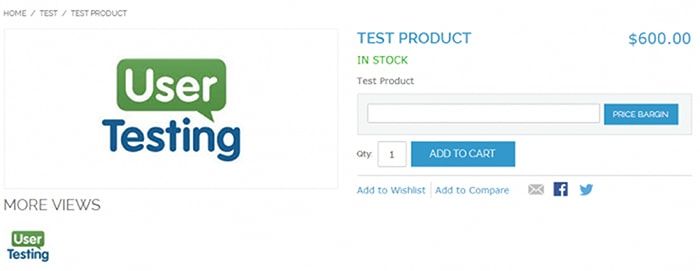
An appealing price bargain request box will be added to the product detail page to achieve desired features. The user can try custom prices for certain attempts configured by the admin from the backend configuration area. It also works with shopping cart rules & catalog rules created with standard Magento promotional rules.
The backend configuration allows the admin to not override the view page template. It opens up the way for a developer to add our code into custom theme templates to add price bargain block.
An appealing price bargain request box will be added to the product detail page to achieve desired features. The user can try custom prices for certain attempts configured by the admin from the backend configuration area. It also works with shopping cart rules & catalog rules created with standard Magento promotional rules.
The backend configuration allows the admin to not override the view page template. It opens up the way for a developer to add our code into custom theme templates to add price bargain block.
Features
- Admin can configure & display price bargain box for specific products
- An extension offers real-time price bargain request processing based on backend admin configuration
- Customized success/reject request message texts for customer
- Allow max bargaining requests to deal with fake customers
- Configuration to accept or rejects bargain request from customer instantly
Standards
- Follow all Magento coding standards for extension development
- A complete upgrade safe solution
Request New Feature
- Send us an email at [email protected] with your feature suggestion.
Customer Price Bargain Magento Extension Set up:
1. Install the Customer Price Bargain extension from the marketplace.
2. To use the extension, go to STORE> Configuration > SETUBRIDGE > Price Bargain tab:
Customer Price Bargain Extension Configuration:
Experience It Now
Customer Review
How does Magento Product Price Bargain Extension help admin?
great and simple!
Feb 05,2019
easy to install and managelike it!!
Sep 11,2018
The extension is very powerful and efficient, I like your work. Quite impressive results
May 02,2018
Provides the best platform to negotiate the price, Very nice extension! Support was amazing..
Apr 10,2018
the bargaining offering to the customer is an amazing idea to get more sales in your account!!! intelligent
Apr 02,2018
Basically, this is a great & featured extension for us. To give a price negotiation is a good idea for any store. also, the support team is really rapid!Recommended!
Mar 26,2018
we are totally like with this plugin! easy to use & that bargain price feature also helped to improve user's flow better on our online shopping site.
Changelog
Version 1.0.5 CE
Released on Mar 16, 2018
- Fix bug which allows customer to manipulate price through browser console
- Code Updates & improvements
Version 1.0.4 CE
Released on Oct 7, 2017
- Bug fixing and improvements
Version 1.0.3 CE
Released on Nov 07, 2015
- SUPEE-6788 supported
Version 1.0.2 CE
Released on June 4, 2015
- Bug Fixing and improvement
Version 1.0.1 CE
Released on Apr 28, 2015
- ACL admin role support
- Bug Fixes
Version 1.0.0 CE
Released on Sept 20, 2015
- Easy Installation & Activation from admin panel
- Appealing Price bargain block display on product detail page. Back-end configuration allows admin to not override view page template & opens up way for developer to add our code into custom theme templates to add price bargain request block
- Price bargain Attempts & Min price configuration for specific products from admin panel
- Messages configuration from back-end Panel
Frequently Asked Questions
This extension works with all themes and extensions by other vendors?
- SetuBridge extensions work with all the plugins, as well as with many third-party plugins. We'll definitely try to help you if you face any technical issues, please create a ticket at [email protected].
Can I get free updates and support?
- Yes, you will get 6 months of free support and 1 year of product updates with the purchase.
Are you able to provide installation services?
- Yes, you can use the installation and configuration services that are provided with every extension purchase.
Is it possible to test the extension on a staging site before transferring it to a live one?
- Yes, you can switch on the production domain from your test domain after configuring all the settings.
Is the SetuBridge extension available to install with a one-time payment or subscription-based?
- The extension is available to install & integrate with the store with a one-time payment.
In case I need additional features for an extension, how can I request them?
- You can send an email to [email protected] with your requirements for the extension.
How can I get a refund?
- You can read our refund policy for more details.
Related Products